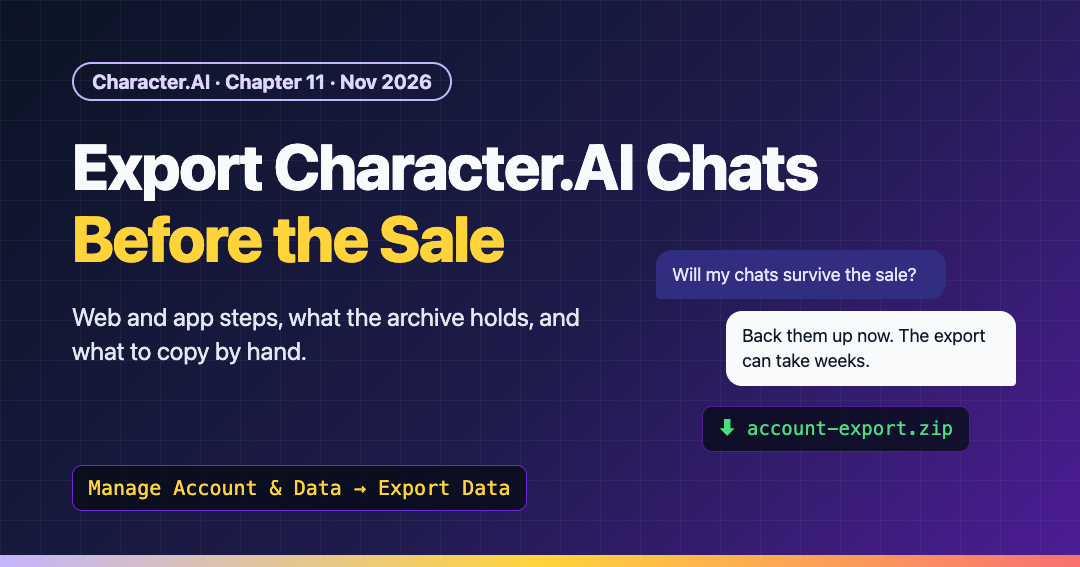
To export Character.AI chats, request a full account export now from Profile Settings → Account → Manage Account & Data → Export Data on the website, or from the settings menu in the app. The export comes by email and covers your whole account, not one chat. Request it today. Character.AI is in a Chapter 11 sale, its bid deadline is two weeks away, and the company says the platform will be wound down if no buyer keeps it running.
Written November 9, 2026. Facts checked on November 9, 2026 (KST) against Character.AI's own blog post "An Update on Character.ai" (October 12, 2026), the claims agent's case page (Stretto, case "chartech"), and news reports from CNBC and NBC News. Character.AI's help center blocked automated access when I checked, so the exact menu labels and wait times below come from the official blog plus several third-party guides, and I say so where they disagree. I have no Character.AI account data of my own to test with. The inspection scripts are generic examples, not output from a real export.
What is happening to Character.AI
Character Technologies Inc., the company behind Character.AI, filed a voluntary Chapter 11 case in the US Bankruptcy Court for the District of Delaware on October 12, 2026. The goal is a court-supervised sale. Disney Worldwide Services is the stalking horse bidder, which means its offer sets the floor that other bidders must beat.
| Item | What is known (Nov 9, 2026) | Source |
|---|---|---|
| App status | Still running, all services available | Character.AI blog |
| Paid plan (c.ai+) | Active, billing unchanged for now | Character.AI blog |
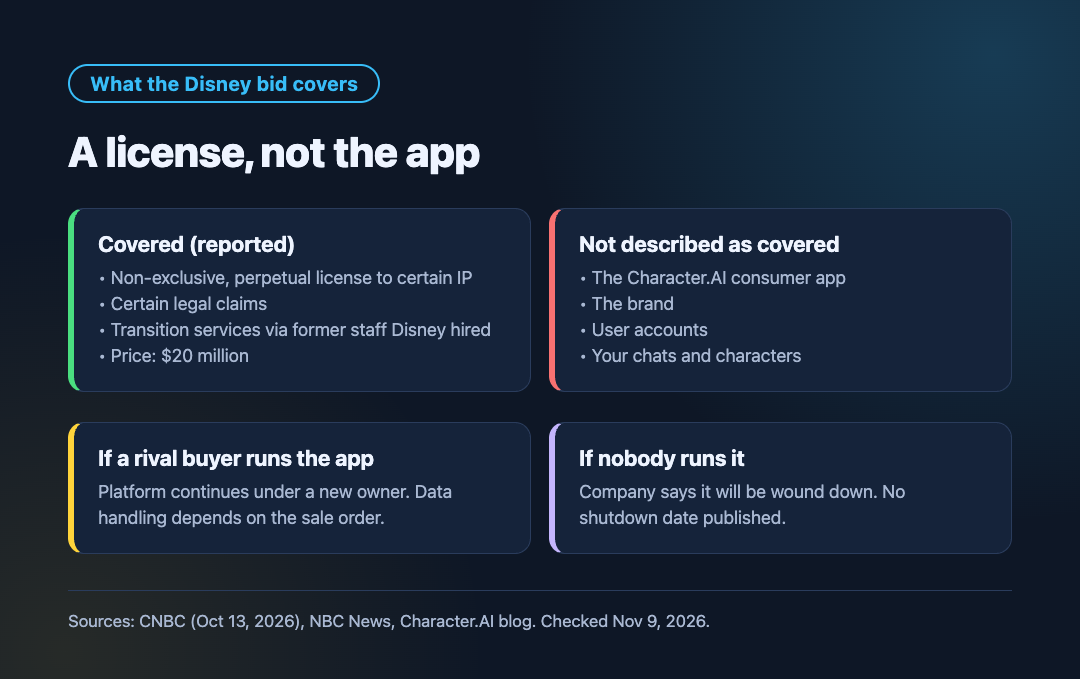
| Disney's bid | $20M for a non-exclusive license to certain IP, not the app | CNBC, NBC News |
| If no buyer runs it | Platform "will be wound down" | Character.AI blog |
| Expected end of sale | End of November or early December 2026 | Character.AI blog |
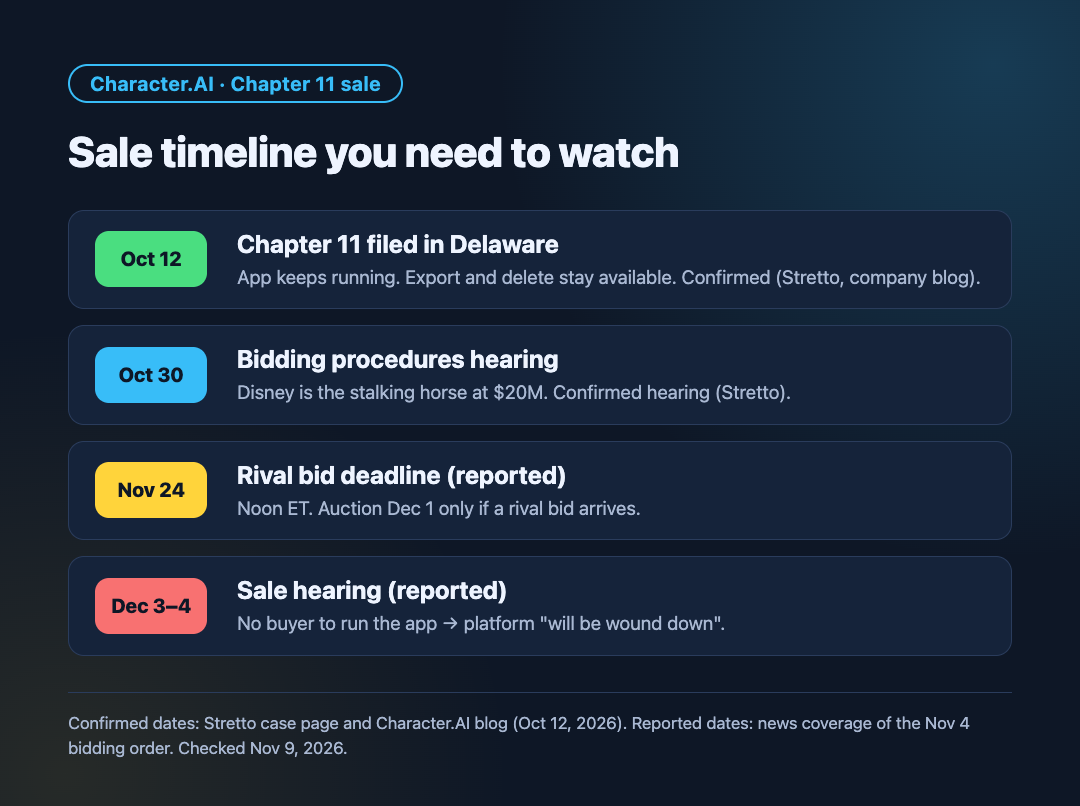
The court dates below are the ones reported from the bidding procedures order. The Stretto case page confirms the filing, the October 30 hearing on bidding procedures, and a creditors' meeting on November 19. I could not open the order itself, so treat the later dates as reported, not confirmed.
| Date (2026) | Event | Status |
|---|---|---|
| Oct 12 | Chapter 11 petition filed | Confirmed (Stretto) |
| Oct 30 | Hearing on bidding procedures | Confirmed (Stretto) |
| Nov 4 | Bidding procedures approved | Reported |
| Nov 24, noon ET | Deadline for rival bids | Reported |
| Dec 1 | Auction, only if a rival bid arrives | Reported |
| Dec 3–4 | Sale hearing | Reported |
The key point for users: news coverage describes Disney's offer as a license, not a purchase of the consumer app, its brand or its users. If nobody else bids to run the platform, the company's own words are that it will be wound down. Nobody has published a shutdown date. Any "Character.AI shuts down on date X" claim you see in search suggestions is not backed by a filing or a company statement.
How to export Character.AI chats, step by step
Character.AI's October 12 update says you can export your data "through the app or website." There is no per-chat export button. One request produces one archive for the whole account.
On the website
- Sign in at character.ai.
- Open your Profile, then Profile Settings.
- Go to Account → Manage Account & Data.
- Select Export Data and confirm.
In the iPhone or Android app
- Tap your Profile.
- Tap the settings (gear) icon.
- Open Legal & Privacy (some guides show the option directly as Export my data).
- Tap Export Data and wait for the success message.
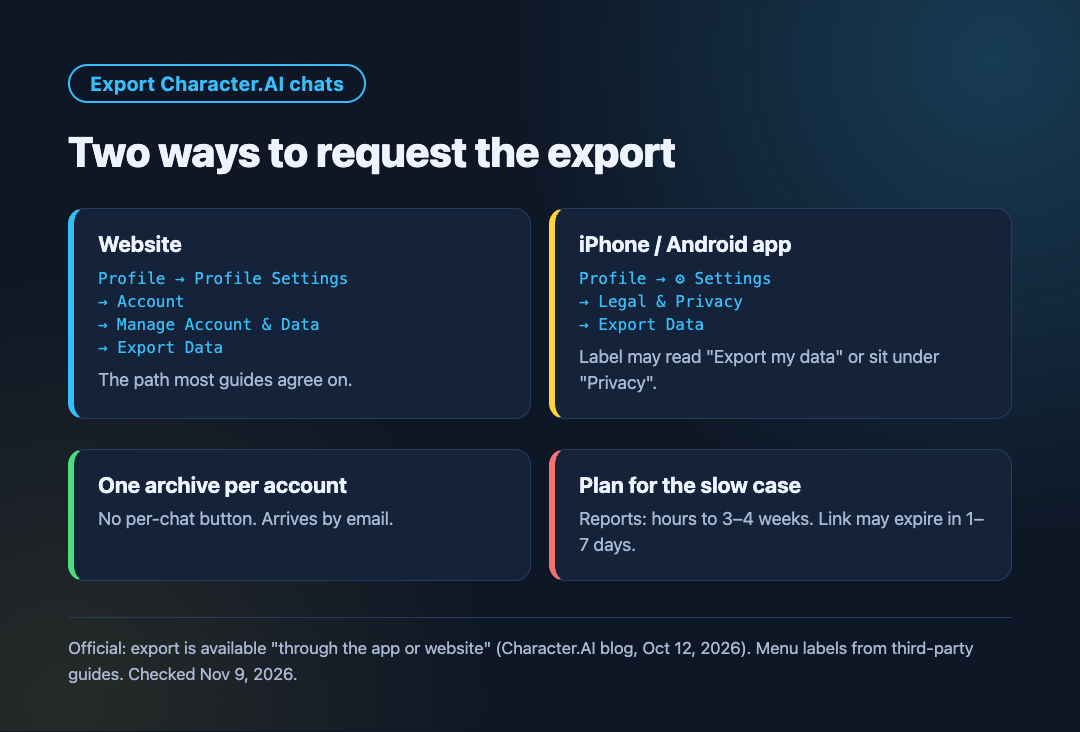
Third-party guides disagree on the label in the app. If you don't see Legal & Privacy, look for Privacy or Export my data in the same settings screen. The website path is the one most guides agree on.
How long the export takes
This is where sources disagree most:
- Several guides that quote the help center say an export can take three to four weeks to arrive by email.
- Others report getting the email within hours or a few days.
- Reports on the download link's lifetime range from 24–48 hours to seven days.
So plan for the slow case. A request made on November 9 might not arrive until early December, which is the same window as the reported sale hearing. That is the main reason to request it now and not wait for news.
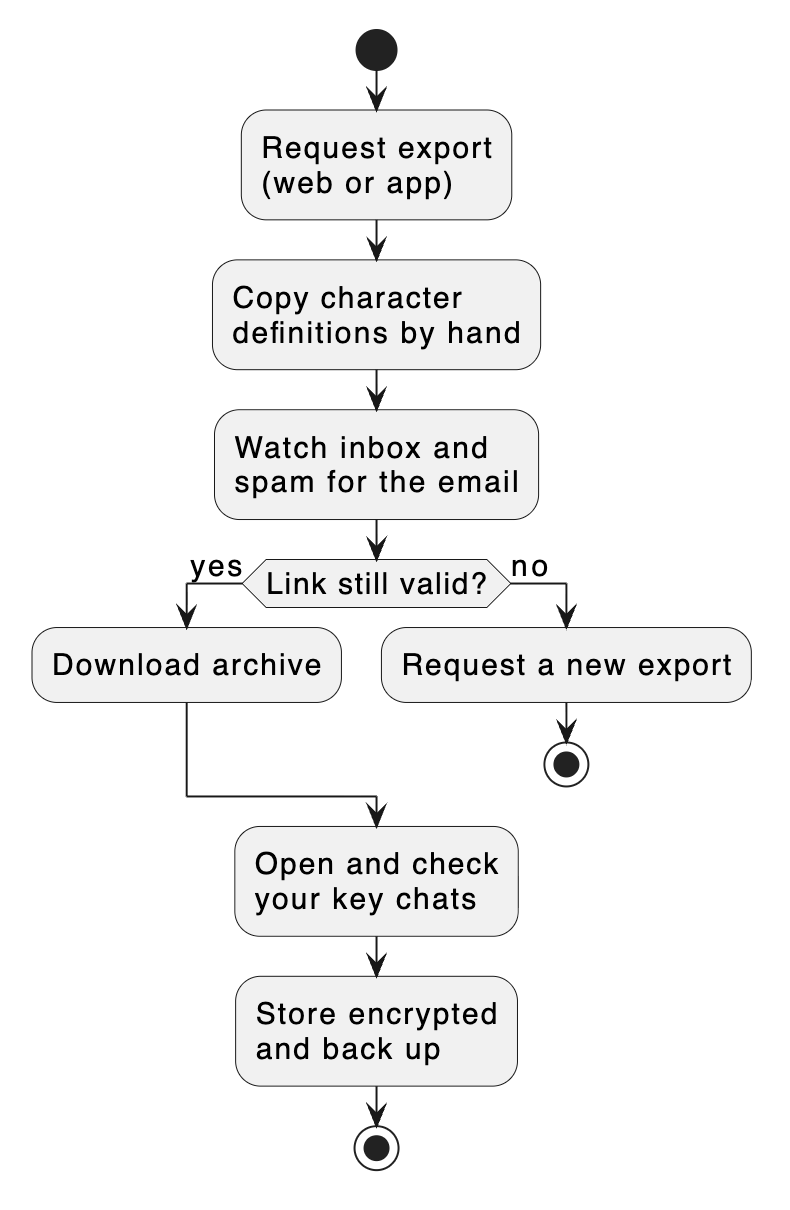
View PlantUML source
@startuml
skinparam shadowing false
skinparam defaultFontSize 15
start
:Request export\n(web or app);
:Copy character\ndefinitions by hand;
:Watch inbox and\nspam for the email;
if (Link still valid?) then (yes)
  :Download archive;
else (no)
  :Request a new export;
  stop
endif
:Open and check\nyour key chats;
:Store encrypted\nand back up;
stop
@enduml
What the Character.AI export includes, and what it may miss
Character.AI does not publish a field-by-field list of the archive. From the official post and third-party guides, this is the safest summary:
| Data | In the export? | What to do |
|---|---|---|
| Your account info | Yes, per guides | Nothing extra |
| Your chat history | Yes, per guides | Spot-check key chats |
| Chats after the request | No, it's a snapshot | Request again later if needed |
| Deleted or very old chats | Not guaranteed | Copy important ones by hand |
| Characters you created (definitions) | Not confirmed | Copy name, greeting, definition by hand |
| Images and voice | Not confirmed | Save the ones you care about |
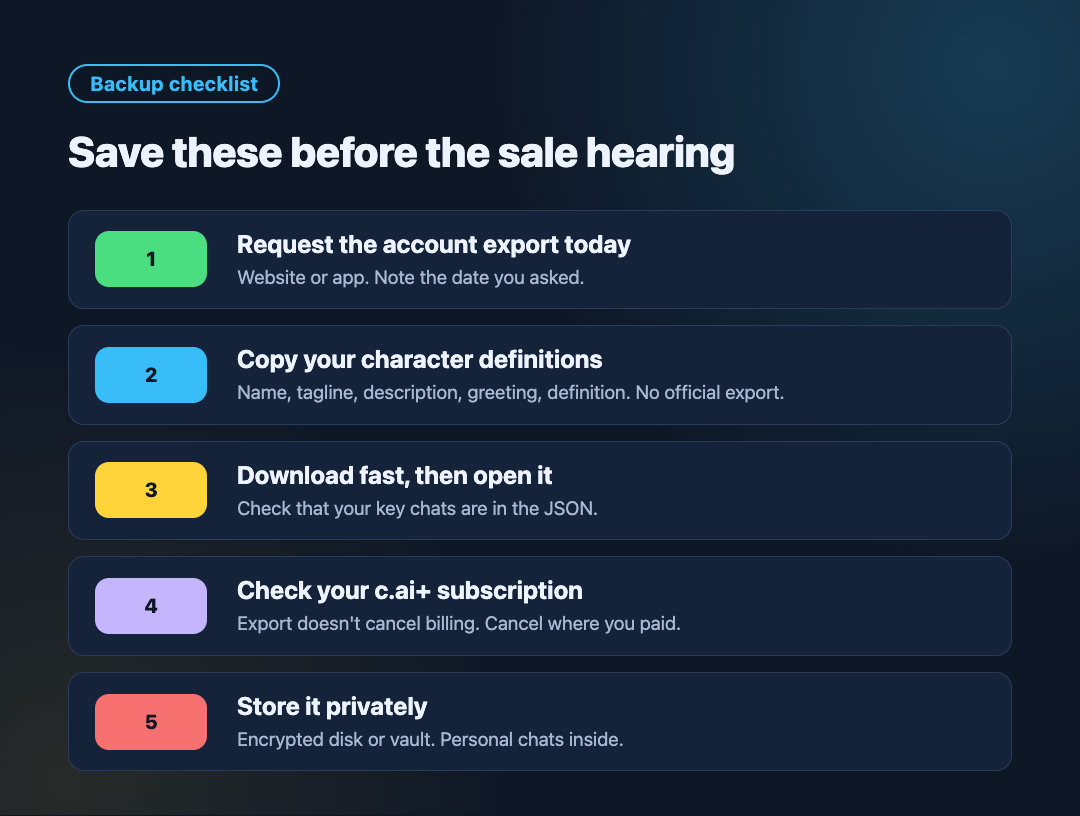
Two points need extra care:
- Your own characters. If you built characters, open each one's edit screen and copy the name, tagline, description, greeting and definition into a text file. Guides report no official tool for exporting character definitions, and browser-extension "cards" may leave the definition out.
- Snapshots. The archive reflects your data at request time. If you keep chatting, request one more export closer to the sale hearing.
Inspect the archive on your computer
Guides describe the export as JSON files, possibly inside a ZIP. The file names are not documented, so look before you parse. On macOS or Linux, unzip it into its own folder and list the JSON files:
mkdir -p ~/cai-export && cd ~/cai-export
unzip ~/Downloads/<YOUR_EXPORT_FILE>.zip
find . -type f -name "*.json" -exec ls -lh {} \;
Then show the top-level keys of each JSON file (needs jq):
find . -name "*.json" -print0 | while IFS= read -r -d '' f; do
  echo "== $f"
  jq 'if type=="array" then .[0] | keys else keys end' "$f"
done
Once you know the structure, a few lines of Python turn a JSON chat file into readable text. Adjust the key names to match what jq showed you:
import json, sys

path = sys.argv[1]  # e.g. ./data/<CHAT_FILE>.json
with open(path, encoding="utf-8") as f:
    data = json.load(f)

items = data if isinstance(data, list) else data.get("messages", [])
for m in items:
    # Replace "author" and "text" with the real field names in your file
    print(f'{m.get("author", "?")}: {m.get("text", "")}\n')
Run it as python3 cai_to_text.py ./data/<CHAT_FILE>.json > chat.txt. Keep the original JSON too. Plain text is for reading. The JSON is your full record.
Should you delete your Character.AI account?
Deleting is a separate decision from exporting, and it is permanent. Character.AI's post says user data stays covered by its current Privacy Policy and that its privacy practices have not changed. Reports on the case note that the policy allows data to move in a sale of company assets. If that worries you:
- Export first and confirm the archive opens.
- Copy your character definitions.
- Cancel c.ai+ where you bought it (website, App Store or Google Play). Exporting does not cancel billing, and deleting the account may not cancel an app store subscription.
- Then delete the account from the same Manage Account & Data area.
If you plan to keep using the app, there is no need to delete. Just keep a current export. If you have paid for c.ai+, think twice before switching to a yearly plan until the sale result is known. The company says billing is unchanged for now and that it will tell subscribers before paid features change.
If the Character.AI export doesn't arrive
| Problem | Likely cause | Fix |
|---|---|---|
| No email after a few days | Queue can take weeks | Check spam and Promotions; wait before re-requesting |
| Link says expired | Short link lifetime | Request a new export, download the same day |
| Archive opens but chats are missing | Snapshot, deleted or old chats | Request again; copy key chats by hand |
| No Export option in app | Label differs by version | Use the website path |
| Wrong email address | Account email is old | Update the account email first |
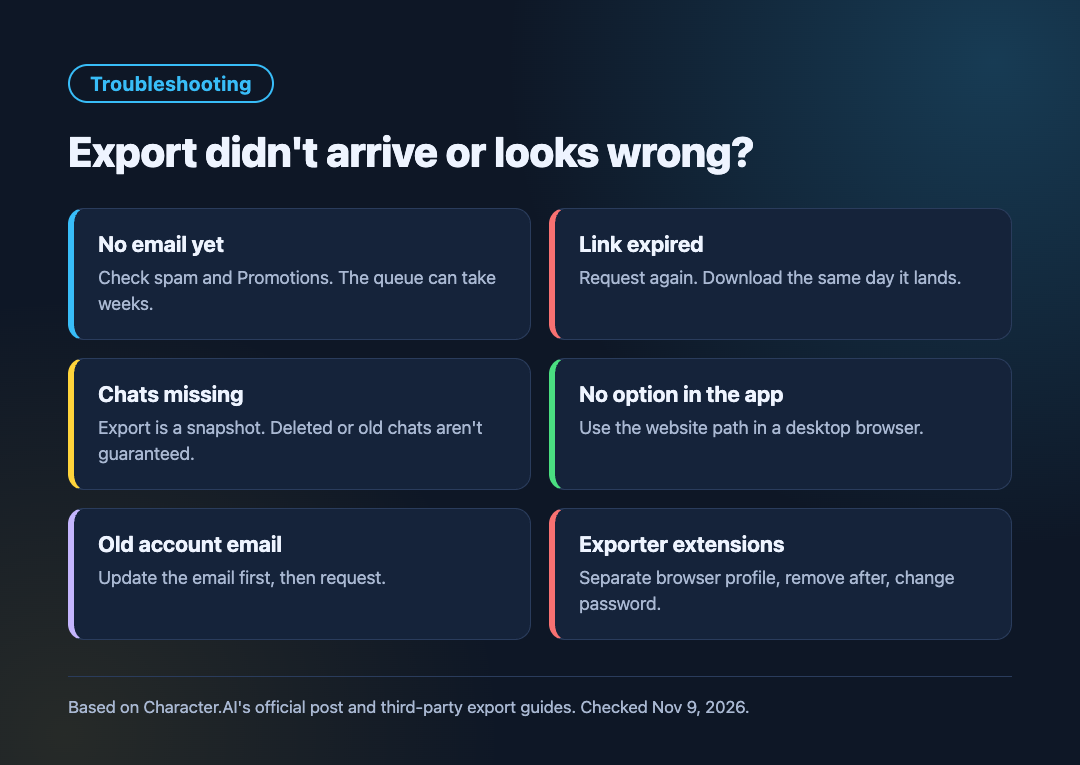
Be careful with third-party "Character.AI exporter" browser extensions. They need access to your logged-in session. If you use one, install it in a separate browser profile, remove it after the export, and change your password. The official export is the safer first step.
If you also used other AI services that are closing this season, the same pattern applies: export early, check the archive, store it privately. The same steps appear in the guide to exporting your data before the Google Jules shutdown. If you want to keep chatting with a local model after leaving the platform, running Ollama on your own Mac is a starting point. Note that an exported chat history does not restore a character's behaviour in another app.
FAQ
Is Character.AI shutting down? Not as of November 9, 2026. The app is running and paid plans are active. The company says the platform will be wound down only if the sale doesn't produce a buyer willing to run it. The sale is expected to finish around late November or early December.
Does Disney get my Character.AI chats? Disney's $20 million stalking horse bid is reported as a non-exclusive license to certain intellectual property, not a purchase of the app or user accounts. Another bidder could still offer to buy the whole platform, so the final outcome depends on the sale.
How long does a Character.AI data export take? Reports range from a few hours to three or four weeks. Request it now, watch your spam folder, and download the file as soon as the email arrives, because the link expires.
Can I export a single chat or character? No official per-chat or per-character export exists. You get one archive for the whole account. Copy character definitions by hand from each character's edit screen.
Will deleting my account delete my data from the sale? Account deletion is permanent and covered by Character.AI's Privacy Policy. Export first, cancel any subscription with the store you paid through, then delete if you choose to.
Keep an eye on the November 24 bid deadline. If a buyer for the app emerges or a shutdown date is announced, the steps above stay the same, but the deadline for your final export will become real.
References
- Character.AI, "An Update on Character.ai" (October 12, 2026) — checked November 9, 2026
- Character.AI Privacy Policy — checked November 9, 2026
- Character.AI Help Center, "How do I download my data" — linked from the official post; blocked to automated access on November 9, 2026
- Stretto, Character Technologies Inc. case page — checked November 9, 2026
- CNBC, "AI companion startup Character.ai files for Chapter 11 bankruptcy" (October 13, 2026) — checked November 9, 2026
- NBC News, "Character.AI files for bankruptcy, will sell some assets to Disney for $20 million" — checked November 9, 2026
- Technobezz, "Character.AI Sale Process Sets Bid Deadline With Disney in Place" — source for the reported court dates, checked November 9, 2026