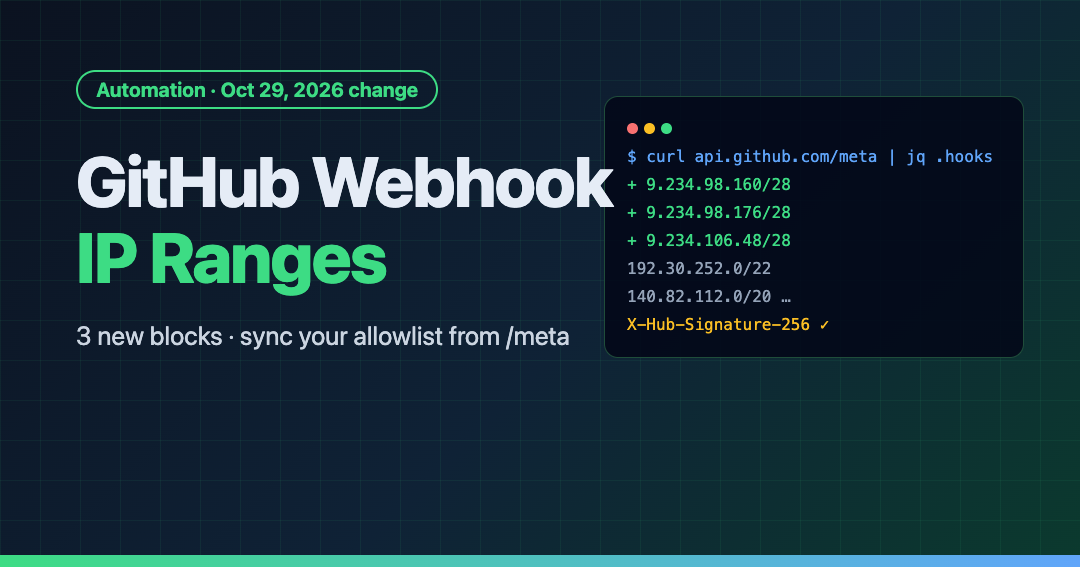
GitHub webhook IP ranges changed on October 29, 2026: GitHub added three new IPv4 blocks, 9.234.98.160/28, 9.234.98.176/28 and 9.234.106.48/28, to the hooks field of its Meta API. If your firewall, reverse proxy or cloud security group only lets GitHub's old webhook ranges through, add these three now, or deliveries from the new addresses will be blocked. The safer fix is to sync the list from https://api.github.com/meta on a schedule and check the X-Hub-Signature-256 HMAC on every request.
Written 2026-10-30. The ranges below were read from the live Meta API response that day and checked against the GitHub changelog entry "Webhook IP ranges added to the Meta API" (October 29, 2026) and GitHub Docs. GitHub changes these addresses from time to time, so always query the API instead of copying the list from this page. I did not run a load or delivery test for this post.
What changed in the GitHub webhook IP ranges
GitHub's changelog says it is adding IP ranges for webhook deliveries on github.com, and the Meta API now includes them in the hooks field. The change covers all github.com webhook deliveries, including GitHub Enterprise Cloud. No deadline was given, so treat it as already in effect.
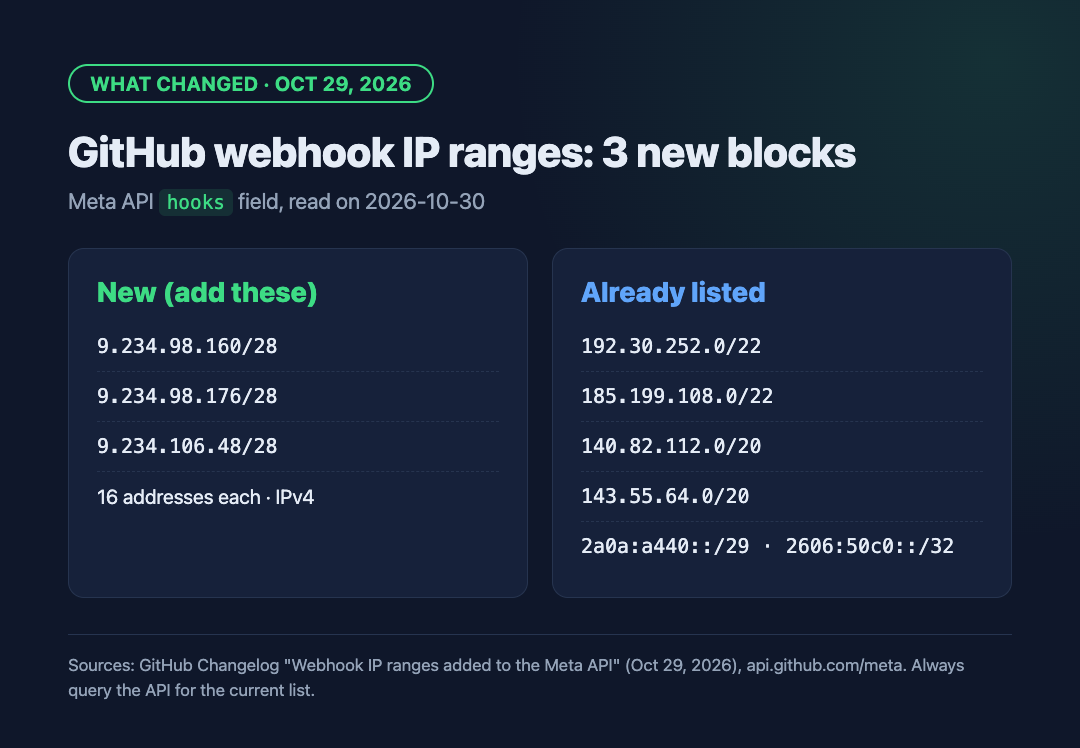
On 2026-10-30, the hooks array had nine entries:
| CIDR | Addresses | Status |
|---|---|---|
9.234.98.160/28 | 9.234.98.160 – .175 | New (Oct 29) |
9.234.98.176/28 | 9.234.98.176 – .191 | New (Oct 29) |
9.234.106.48/28 | 9.234.106.48 – .63 | New (Oct 29) |
192.30.252.0/22 | 192.30.252.0 – 192.30.255.255 | Already listed |
185.199.108.0/22 | 185.199.108.0 – 185.199.111.255 | Already listed |
140.82.112.0/20 | 140.82.112.0 – 140.82.127.255 | Already listed |
143.55.64.0/20 | 143.55.64.0 – 143.55.79.255 | Already listed |
2a0a:a440::/29 | IPv6 | Already listed |
2606:50c0::/32 | IPv6 | Already listed |
Each new /28 is only 16 addresses. That is why a quick look at an access log can miss them: most deliveries may still arrive from the older blocks, and only some fail.
Who needs to update an allowlist
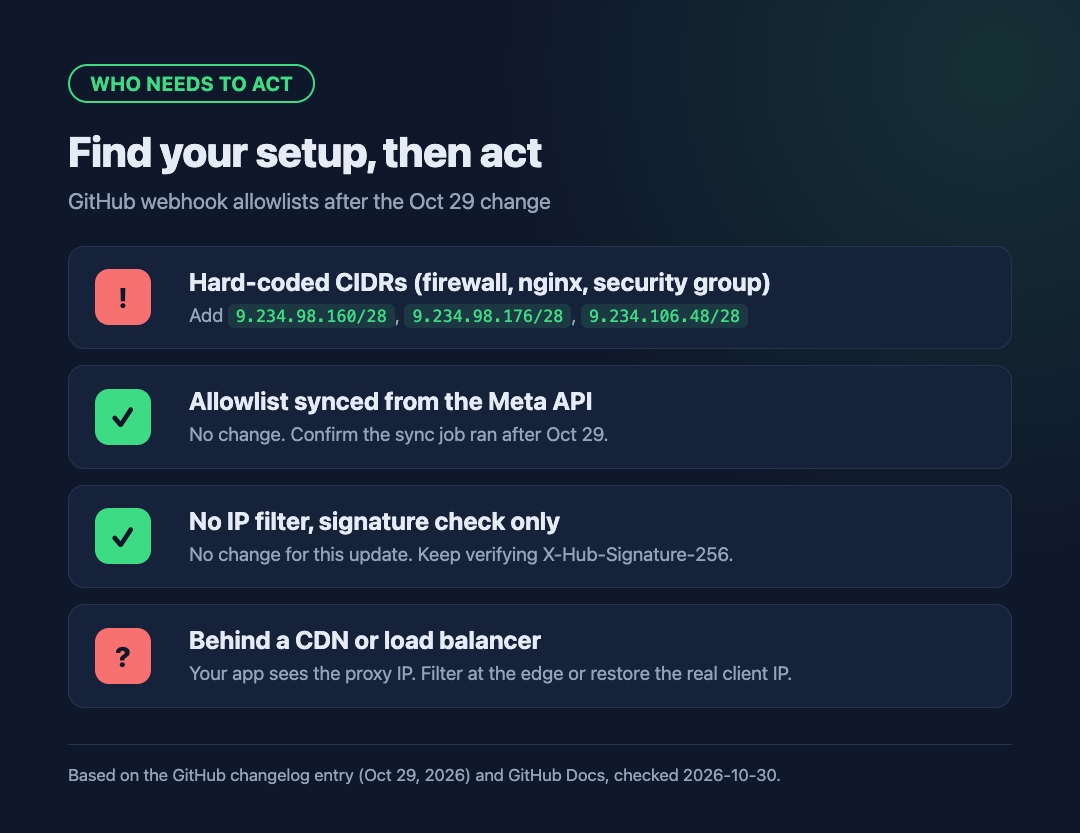
You only need to act if something between GitHub and your receiver filters by source IP. A typical case is a self-hosted automation server, such as n8n or Jenkins, behind a firewall that only accepts GitHub's addresses. If you run n8n this way, also keep it patched; see our n8n security update guide.
| Your setup | What to do |
|---|---|
| Hard-coded CIDRs in a firewall, nginx, or security group | Add the three new /28 blocks |
| Allowlist synced from the Meta API | Nothing; the sync picks them up |
| No IP filtering, signature check only | Nothing for this change |
| Behind a CDN or load balancer | Check which IP your filter actually sees |
The last row matters. If a CDN or load balancer sits in front of your server, the source IP your app sees is the proxy's, not GitHub's. In that case the IP filter has to run at the proxy, or your server has to restore the client IP from a trusted header before it filters.
Get the current GitHub webhook IP ranges from the Meta API
GET /meta returns GitHub's IP addresses as CIDR strings. The webhook senders are in hooks. GitHub Docs say the values shown in the docs are only examples and you must query the API for the latest ones.
curl -fsSL https://api.github.com/meta \
  -H "Accept: application/vnd.github+json" \
  -H "X-GitHub-Api-Version: 2026-03-10" \
  | jq -r '.hooks[]'
To split IPv4 from IPv6 (some tools take them in separate lists):
curl -fsSL https://api.github.com/meta | jq -r '.hooks[] | select(contains(":") | not)'  # IPv4
curl -fsSL https://api.github.com/meta | jq -r '.hooks[] | select(contains(":"))'        # IPv6
The endpoint answered without a token when I checked it. Unauthenticated REST calls have a low per-IP rate limit, so if many jobs behind one IP call it, add -H "Authorization: Bearer <YOUR_TOKEN>".
Add the new ranges to nginx, ufw or a security group
Pick the tool that does your filtering today. Do not add a second filter layer just for this change.
nginx
Generate an include file from the API instead of typing CIDRs by hand:
curl -fsSL https://api.github.com/meta \
  | jq -r '.hooks[] | "allow \(.);"' \
  | sudo tee /etc/nginx/github-hooks.conf
Then use it in the location that receives webhooks:
location /webhooks/github {
    include /etc/nginx/github-hooks.conf;
    deny all;
    proxy_pass http://127.0.0.1:5678;
}
Test and reload:
sudo nginx -t && sudo systemctl reload nginxufw (Ubuntu)
for cidr in 9.234.98.160/28 9.234.98.176/28 9.234.106.48/28; do
  sudo ufw allow from "$cidr" to any port 443 proto tcp comment 'GitHub webhooks'
done
sudo ufw status numbered
AWS security group
for cidr in 9.234.98.160/28 9.234.98.176/28 9.234.106.48/28; do
  aws ec2 authorize-security-group-ingress \
    --group-id <YOUR_SG_ID> --protocol tcp --port 443 --cidr "$cidr"
done
Check your security group's rule quota before you add the full list. Nine webhook ranges plus other rules can add up.
Automate the allowlist sync
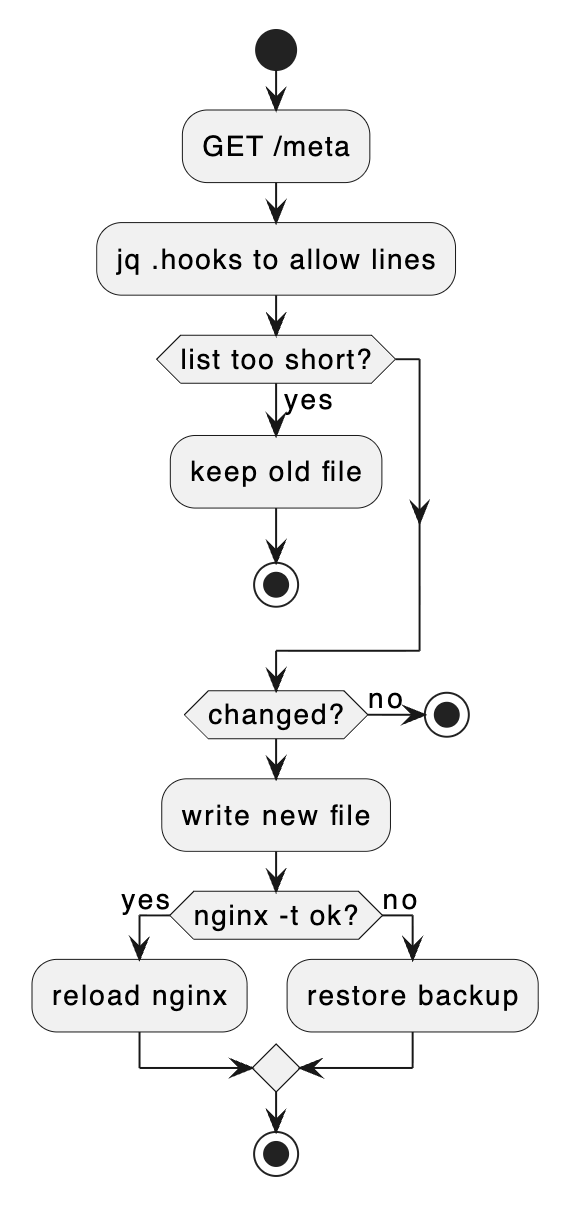
Hand edits fix today's change. A scheduled sync fixes the next one. GitHub's webhook best practices say to fetch the list from GET /meta and update your allowlist periodically, because GitHub occasionally changes its IP addresses. The docs give no schedule, so the daily run below is my choice, not a GitHub rule.
#!/usr/bin/env bash
set -euo pipefail   # save as /usr/local/bin/sync-github-hooks.sh
OUT=/etc/nginx/github-hooks.conf
TMP=$(mktemp)

curl -fsSL https://api.github.com/meta \
  -H "Accept: application/vnd.github+json" \
  | jq -r '.hooks[] | "allow \(.);"' > "$TMP"

if [ "$(wc -l < "$TMP")" -lt 3 ]; then
  echo "hooks list too short, keeping old file" >&2; exit 1
fi

if ! cmp -s "$TMP" "$OUT"; then
  cp "$OUT" "$OUT.bak"
  install -m 644 "$TMP" "$OUT"
  if nginx -t; then
    systemctl reload nginx
  else
    cp "$OUT.bak" "$OUT"; echo "nginx -t failed, rolled back" >&2; exit 1
  fi
fi
rm -f "$TMP"
Make it executable with sudo chmod +x /usr/local/bin/sync-github-hooks.sh, then run sudo crontab -e and add this line to run it once a day:
17 4 * * * /usr/local/bin/sync-github-hooks.sh >> /var/log/github-hooks-sync.log 2>&1The length check stops a failed API call from writing an empty allowlist, which would combine with deny all and block every delivery.
View PlantUML source
@startuml
skinparam shadowing false
skinparam defaultFontSize 14
start
:GET /meta;
:jq .hooks to allow lines;
if (list too short?) then (yes)
  :keep old file;
  stop
endif
if (changed?) then (no)
  stop
endif
:write new file;
if (nginx -t ok?) then (yes)
  :reload nginx;
else (no)
  :restore backup;
endif
stop
@enduml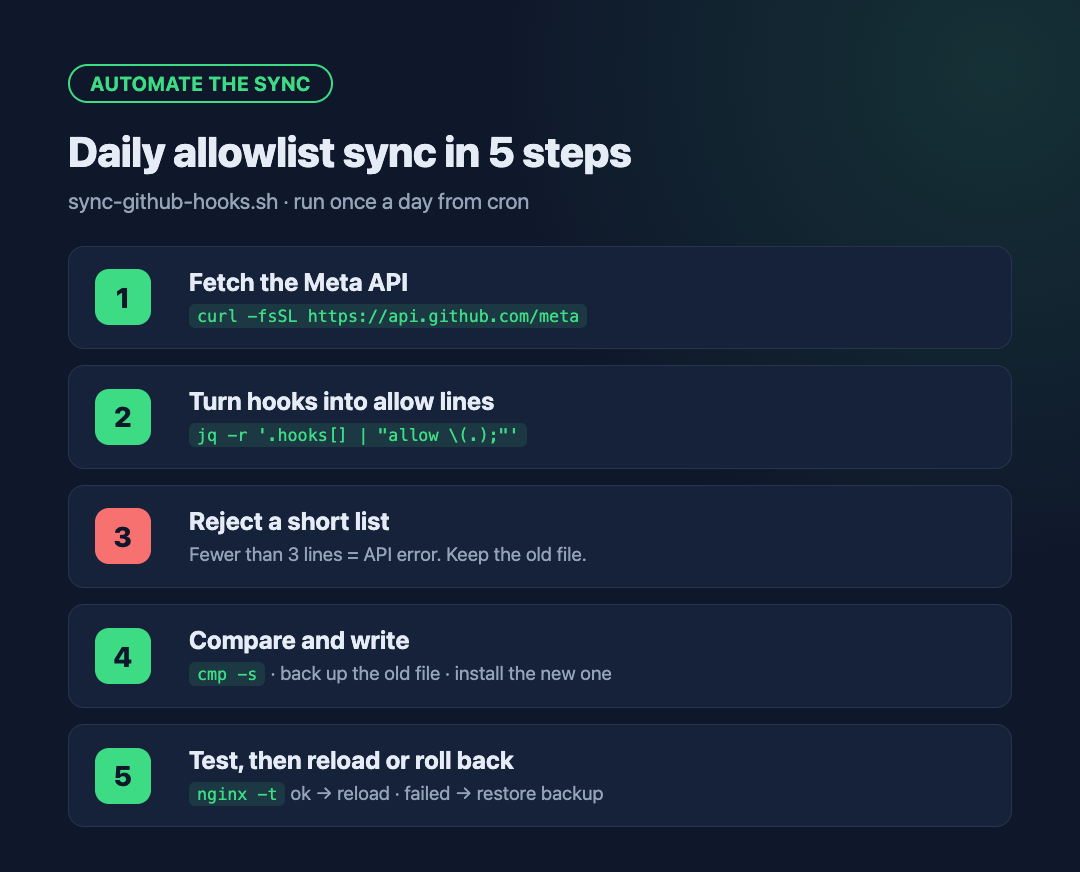
Verify webhook signatures, not just IPs
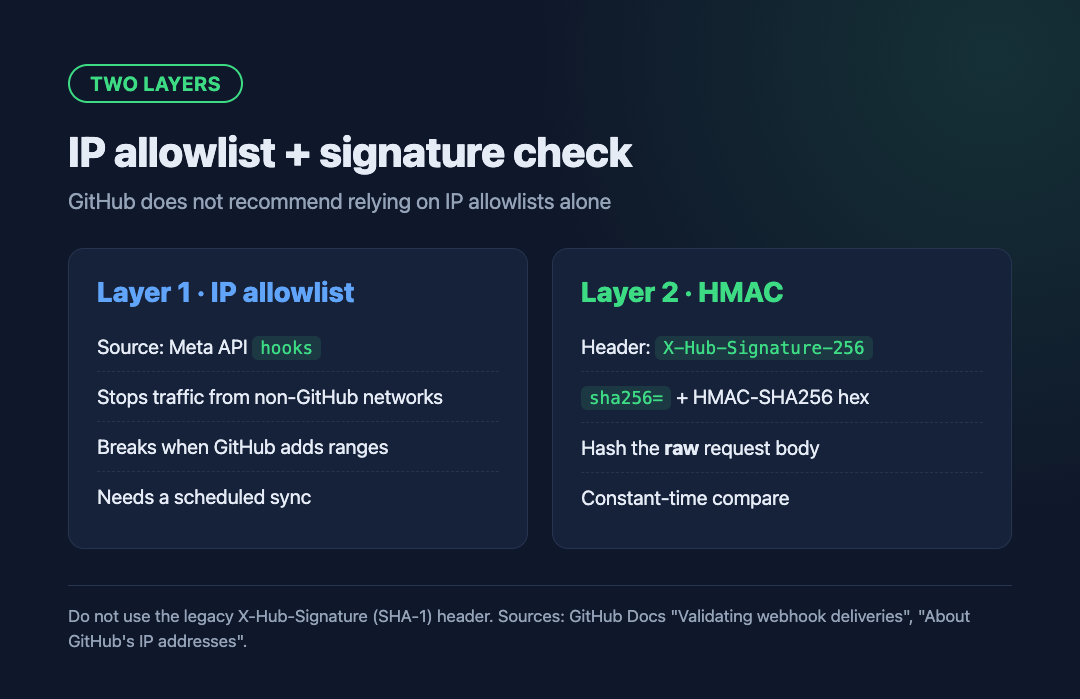
IP filtering is one layer, not the whole defense. GitHub's own page about its IP addresses says it does not recommend allowing by IP address, and that if you do, you should monitor the API regularly. The check GitHub does recommend for every receiver is a webhook secret.
When you set a secret on a webhook, GitHub sends an X-Hub-Signature-256 header. Its value is sha256= plus the HMAC-SHA256 hex digest of the raw request body, keyed with your secret. Do not use the legacy X-Hub-Signature (SHA-1) header.
| Check | Stops | Breaks when |
|---|---|---|
| IP allowlist | Traffic from non-GitHub networks | GitHub adds ranges (like Oct 29) |
X-Hub-Signature-256 | Forged or modified payloads | Secret is leaked or body is re-encoded |
Python
This follows the function in GitHub Docs, using only the standard library:
import hashlib
import hmac

def verify_signature(payload_body: bytes, secret: str, signature_header: str) -> bool:
    if not signature_header:
        return False
    digest = hmac.new(secret.encode("utf-8"), msg=payload_body, digestmod=hashlib.sha256).hexdigest()
    return hmac.compare_digest("sha256=" + digest, signature_header)
Node.js (Express)
Use the raw body. If a JSON parser runs first and you hash JSON.stringify(req.body), the bytes change and the signature never matches.
import crypto from "node:crypto"
import express from "express"

const app = express()
const secret = process.env.GITHUB_WEBHOOK_SECRET // <YOUR_WEBHOOK_SECRET>

app.post("/webhooks/github", express.raw({ type: "application/json" }), (req, res) => {
  const got = Buffer.from(req.get("X-Hub-Signature-256") || "")
  const want = Buffer.from("sha256=" + crypto.createHmac("sha256", secret).update(req.body).digest("hex"))
  if (got.length !== want.length || !crypto.timingSafeEqual(got, want)) {
    return res.status(401).send("bad signature")
  }
  res.status(202).end() // reply fast, process the event in a queue
  // enqueue(req.get("X-GitHub-Delivery"), req.get("X-GitHub-Event"), req.body)
})

app.listen(5678)
Test with GitHub's sample values
GitHub Docs publish a test case. With the secret It's a Secret to Everybody and the payload Hello, World!, the expected signature is 757107ea0eb2509fc211221cce984b8a37570b6d7586c22c46f4379c8b043e17. You can check your tooling with OpenSSL:
printf 'Hello, World!' | openssl dgst -sha256 -hmac "It's a Secret to Everybody"The output should end with that hex string. If your function returns the same value, the signing logic is right, and any mismatch in production comes from the secret or the body bytes.
Make.com's new signed event subscriptions use the same idea; our Make event subscriptions guide walks through that version.
Test deliveries and redeliver missed events
After you change the allowlist, confirm that deliveries arrive.
- Open the repository and go to Settings → Webhooks (under "Code and automation").
- Click the webhook URL and open Recent Deliveries.
- Check the response code for each delivery. A timeout or connection error after Oct 29 often means a blocked source IP.
- Click a failed delivery's GUID, then Redeliver.
Keep two limits from GitHub Docs in mind. GitHub does not redeliver failed deliveries automatically, and you can only redeliver deliveries from the past 3 days. So if your firewall blocked the new ranges since October 29, redeliver the failed events soon. Only people with admin access to the repository can do this.
Two more rules from the best-practices page help here:
- Respond within 10 seconds. Return a 2XX within 10 seconds, or GitHub ends the connection and marks the delivery failed. Queue the work and answer first.
- Use
X-GitHub-Deliveryto dedupe. A redelivery keeps the same delivery ID, so store the IDs you have processed and skip repeats.
Related: Actions blob storage hosts (outbound)
A separate October 22, 2026 changelog entry added new Actions blob storage hosts to the Meta API (productionresultssa30–49 and productionresultssa100–199 under .blob.core.windows.net). That one is about outbound traffic from self-hosted runners, not inbound webhooks. If you allow only individual hosts, add them; if you allow productionresultssa*.blob.core.windows.net, nothing changes.
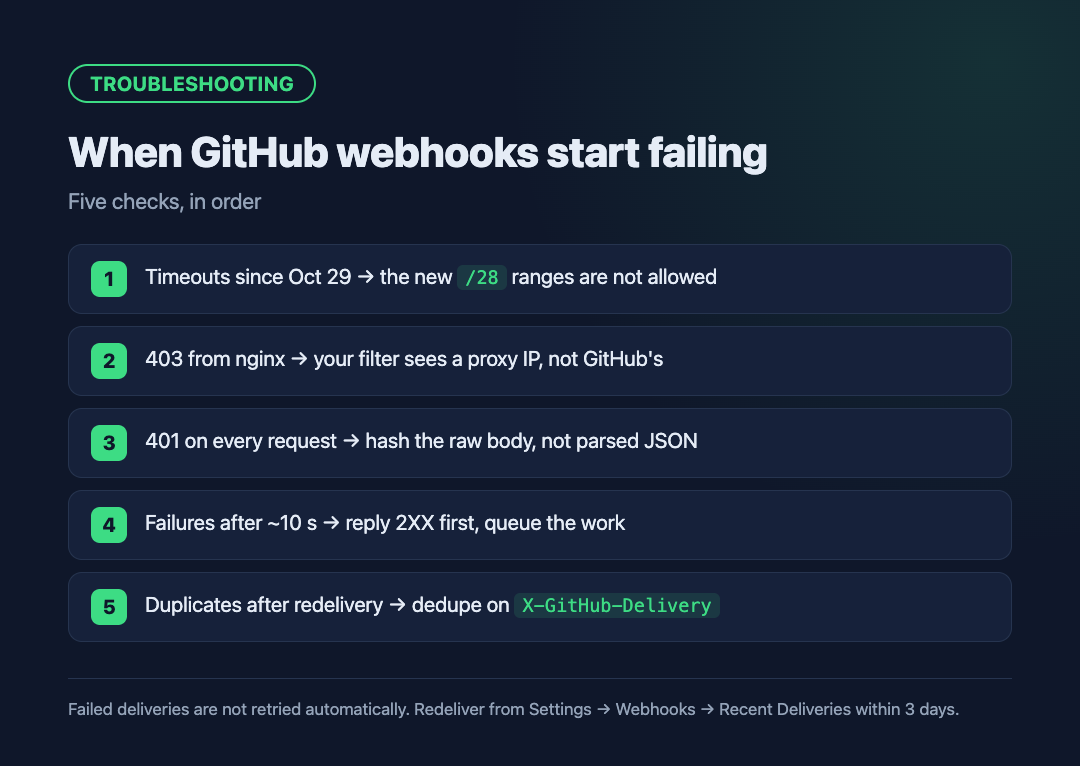
Troubleshooting GitHub webhook deliveries
| Symptom | Likely cause | Fix |
|---|---|---|
| Some deliveries time out since Oct 29 | New /28 ranges not allowed | Add them or sync from /meta |
| 403 from nginx for GitHub requests | Filter sees a proxy IP | Filter at the edge or restore real IP |
| 401 "bad signature" on every request | Body parsed before hashing | Hash the raw body bytes |
| Deliveries fail after ~10 s | Work done before replying | Reply 2XX first, queue the job |
| Duplicate processing after redelivery | No dedupe on delivery ID | Store X-GitHub-Delivery values |
If you use GitHub webhooks to drive notifications, our post on replacing GitHub push email notifications with Actions shows a route that needs no inbound allowlist at all.
FAQ
What are the new GitHub webhook IP ranges? Since October 29, 2026, GitHub's Meta API hooks field includes 9.234.98.160/28, 9.234.98.176/28 and 9.234.106.48/28, alongside the ranges that were already listed. Always confirm with GET https://api.github.com/meta.
Is there a deadline to add them? GitHub's changelog gives no deadline. The ranges are already listed for webhook deliveries, so add them now if you filter by IP.
Do I need to change anything if I already sync from the Meta API? No. GitHub says allowlists that sync from the Meta API need no change. Check that your sync job actually ran after October 29.
Does this affect GitHub Enterprise Cloud? Yes. The changelog says the ranges apply to all github.com webhook deliveries, including GitHub Enterprise Cloud.
Is an IP allowlist enough to secure a webhook endpoint? No. GitHub does not recommend relying on IP allowlists. Set a webhook secret and verify X-Hub-Signature-256 on the raw body for every delivery.
Webhook source addresses will change again at some point. A daily sync plus a signature check means the next change needs no emergency edit. Next, review which events each webhook subscribes to and drop the ones your automation never uses.
References
- Webhook IP ranges added to the Meta API — GitHub Changelog, October 29, 2026, checked 2026-10-30
- REST API endpoints for meta data (GET /meta) — GitHub Docs, checked 2026-10-30
- GitHub Meta API live response —
hooksfield read on 2026-10-30 - About GitHub's IP addresses — GitHub Docs, checked 2026-10-30
- Best practices for using webhooks — GitHub Docs, checked 2026-10-30
- Validating webhook deliveries — GitHub Docs, checked 2026-10-30
- Redelivering webhooks — GitHub Docs, checked 2026-10-30
- Meta API endpoints updated for Actions blob storage — GitHub Changelog, October 22, 2026, checked 2026-10-30