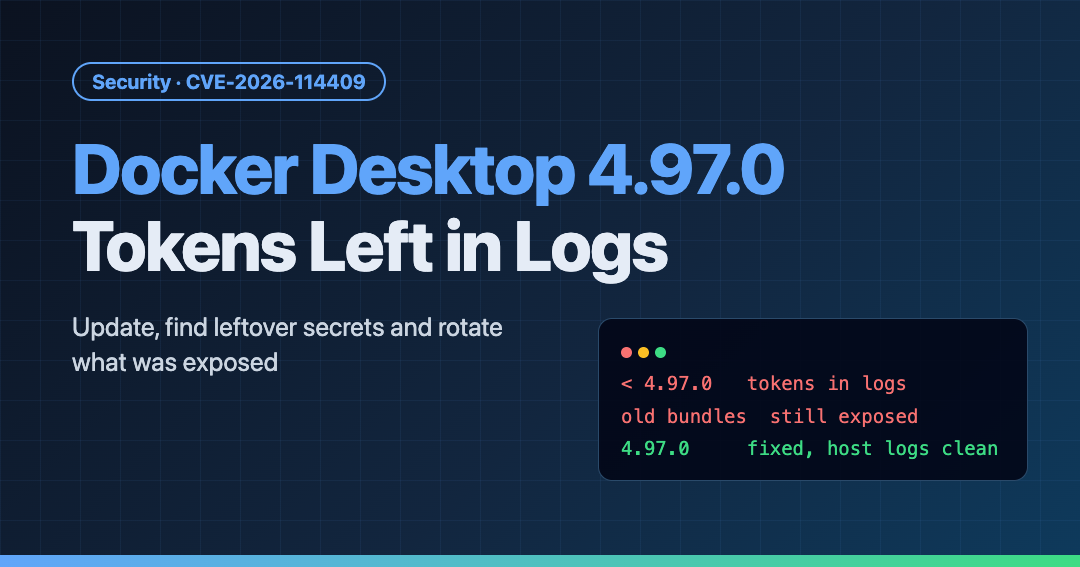
Docker Desktop 4.97.0 fixes CVE-2026-114409, a flaw that wrote third-party API keys and OAuth tokens to local logs in cleartext. Update first. Then delete old diagnostics bundles and log copies, because the update only cleans the logs and crash dumps on your own machine.
Written 2026-11-01. Facts come from Docker's security announcements, release notes and docs, plus the public CVE records, checked that day. I tested the token search pattern on fake sample files with ripgrep. I did not run the grep or PowerShell commands themselves, or the version and update commands, and I did not reproduce either flaw.
What changed in Docker Desktop 4.97.0
Docker shipped 4.97.0 on October 26, 2026, with fixes for two CVEs. The security announcement gives the same fix version for both.
| CVE | What goes wrong | Who can use it | Score |
|---|---|---|---|
| CVE-2026-114409 | API keys and OAuth tokens land in logs and diagnostics bundles | Anyone who can read those files | 5.7 Medium (CVSS 4.0) |
| CVE-2026-99999 | A container corrupts the VM's network stack through bad IPv4 checksum metadata | Code inside a container | 9.3 Critical for the Linux kernel flaw (Red Hat draft: 8.8) |
The second score belongs to the upstream kernel bug. Docker's announcement gives no separate score for Docker Desktop.
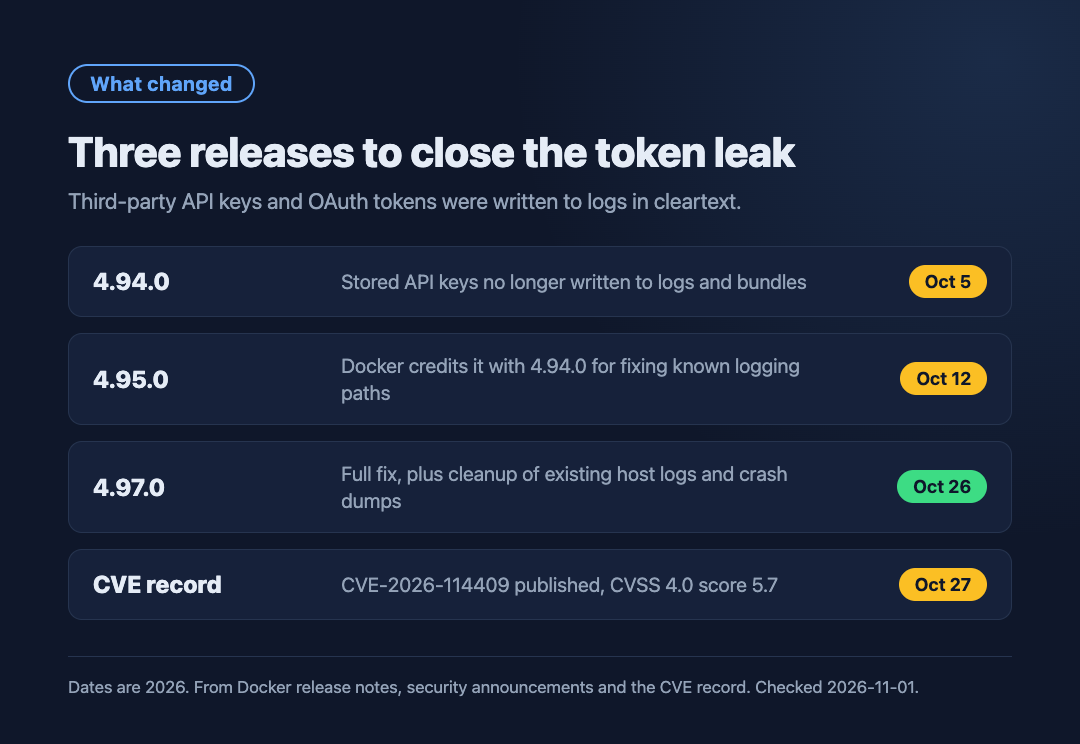
The token leak took more than one release to close. That history matters, because a recent version can still hold old secrets on disk.
| Date | Release | What happened |
|---|---|---|
| Oct 5 | 4.94.0 | Stored API keys no longer written to logs and bundles |
| Oct 12 | 4.95.0 | Docker credits this release and 4.94.0 with fixing the known logging paths |
| Oct 26 | 4.97.0 | Full fix, plus cleanup of existing host logs and crash dumps |
| Oct 27 | CVE record | CVE-2026-114409 published |
Which tokens were exposed?
Docker says the OAuth tokens are not Docker account tokens. It does not name the affected services. The CVE-2026-114409 record calls them third-party API keys and OAuth access tokens, so treat any key you entered into Docker Desktop as a candidate. The MCP Toolkit is one feature that connects to outside services through OAuth, though Docker doesn't say it was the source.
This flaw concerns Docker Desktop's application logs. Your container logs are a separate system, which I covered in the Docker log rotation guide.
Is this being exploited?
I found no report of attacks. OpenCVE listed neither CVE in the CISA Known Exploited Vulnerabilities catalog on November 1. The token leak needs local read access, so the realistic risks are shared machines, backups and bundles sent to other people.
Check your Docker Desktop version
This command reads the version from the running engine:
docker version --format '{{.Server.Platform.Name}}'The output should name Docker Desktop and a version number. If Docker Desktop won't start, ask the operating system instead:
defaults read /Applications/Docker.app/Contents/Info.plist CFBundleShortVersionString  # macOS
dpkg -s docker-desktop | grep '^Version'  # Debian or Ubuntu
rpm -q docker-desktop  # Fedora or other RPM systems
On Windows, look up Docker Desktop under Installed apps in Windows Settings.
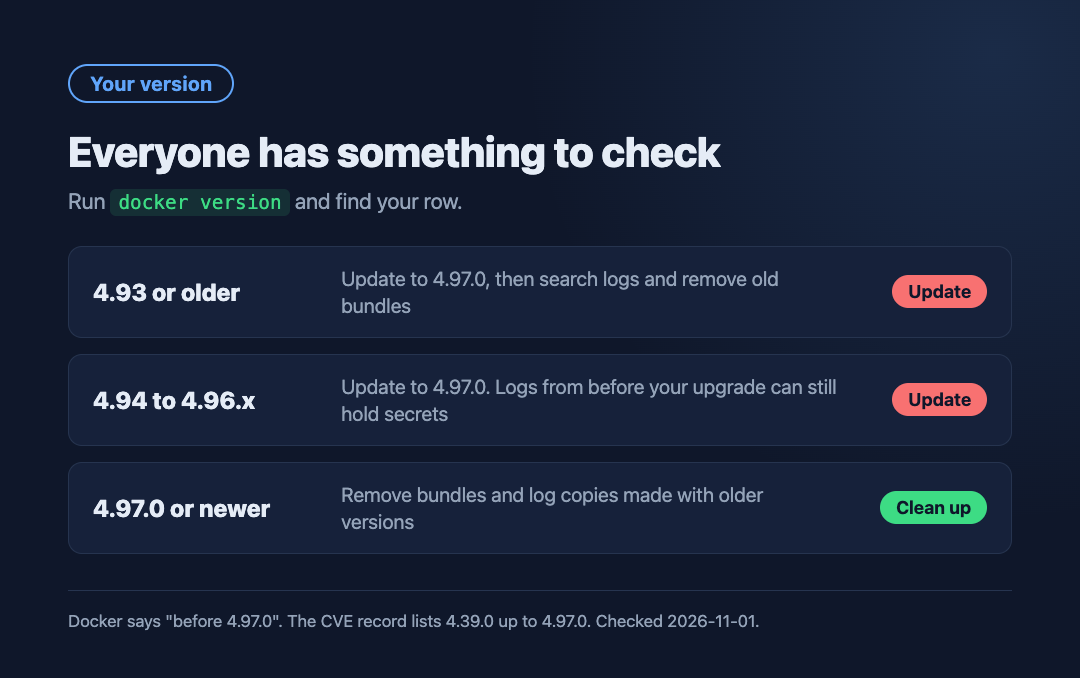
The sources describe the affected range differently. Docker says "before 4.97.0", while the CVE record lists 4.39.0 up to 4.97.0. Use the table below either way, since older versions also miss the kernel fix.
| Your version | Update to | Then clean up? |
|---|---|---|
| 4.93 or older | 4.97.0 | Yes, all steps below |
| 4.94.0 to 4.96.x | 4.97.0 | Yes, old logs and bundles can still hold secrets |
| 4.97.0 or newer | Stay | Yes, if you kept bundles or log copies from older versions |
Update to Docker Desktop 4.97.0
Quit tools that might call Docker before you start, as the Mac install guide advises. Then use the built-in updater if it's available:
docker desktop update --check-only
docker desktop update
The docker desktop update reference documents the --check-only and --quiet options. You can also use the update notice in the Docker menu or the Dashboard footer.
Update commands by platform
Homebrew listed the docker-desktop cask at 4.97.0 when I checked:
brew upgrade --cask docker-desktopOn Linux, download the new package from the 4.97.0 release notes each time, then run the command for your distribution:
sudo apt install ./docker-desktop-amd64.deb  # Debian or Ubuntu

sudo dnf remove docker-desktop  # Fedora: remove first, as Docker's guide says
sudo dnf install ./docker-desktop-x86_64.rpm

sudo pacman -U ./docker-desktop-x86_64.pkg.tar.zst  # Arch
On Windows, run the installer from the release notes. Per-user installs update without admin rights, and all-users installs need them.
A Windows default changed
New .EXE installs now use --user mode by default. That puts Docker Desktop in %LOCALAPPDATA%\Programs\DockerDesktop, and Windows containers aren't supported in that mode. If you script new machines and need the all-users install, check your script. Switching modes later means uninstalling and reinstalling.
Find Docker Desktop logs that still hold tokens
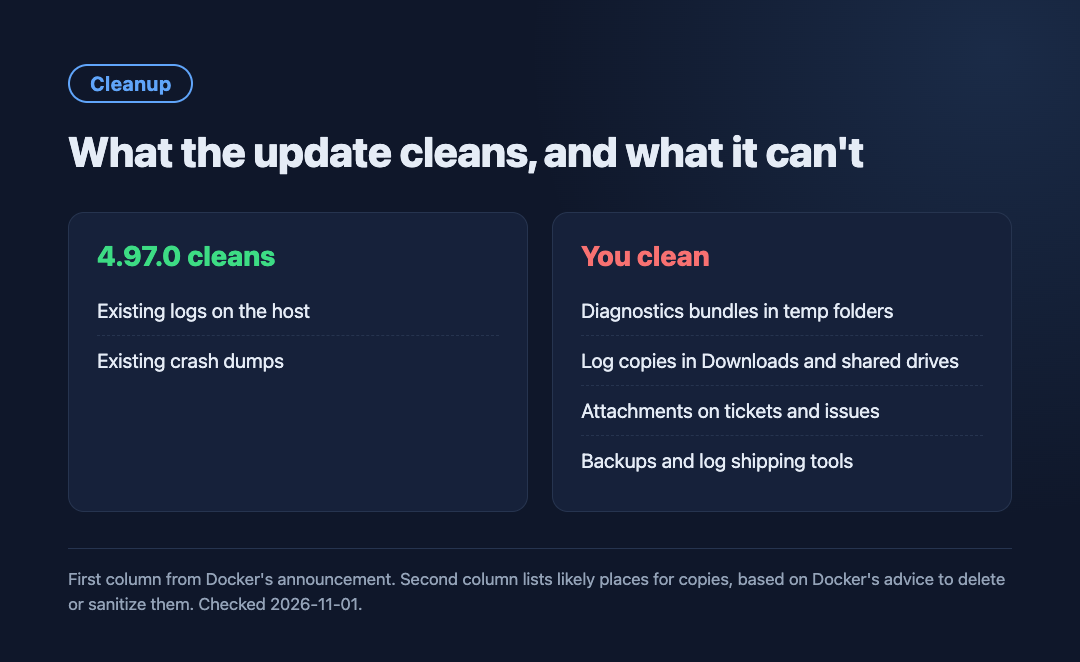
Docker Desktop 4.97.0 cleans existing host logs and crash dumps. It can't reach copies elsewhere, and Docker tells you to delete or sanitize any bundles and log copies created with 4.96.x or earlier.
Open Docker Desktop once on 4.97.0, then search what's left. The -l flag prints file names only, so secrets stay off your screen and out of your shell logs:
PATTERN='gh[opusr]_[A-Za-z0-9]{20,}|github_pat_[A-Za-z0-9_]{20,}|sk-[A-Za-z0-9_-]{20,}|xox[abprs]-[A-Za-z0-9-]{10,}|AIza[A-Za-z0-9_-]{30,}|Bearer [A-Za-z0-9._~+/=-]{20,}'

grep -rIlE --include='*.log*' "$PATTERN" ~/Library/Containers/com.docker.docker/Data/log  # macOS
grep -rIlE --include='*.log*' "$PATTERN" ~/.docker/desktop  # Linux
On Windows, use PowerShell:
$p = 'gh[opusr]_[A-Za-z0-9]{20,}|github_pat_[A-Za-z0-9_]{20,}|sk-[A-Za-z0-9_-]{20,}|xox[abprs]-[A-Za-z0-9-]{10,}|AIza[A-Za-z0-9_-]{30,}|Bearer [A-Za-z0-9._~+/=-]{20,}'
Get-ChildItem "$env:LOCALAPPDATA\Docker\log" -Recurse -File |
  Select-String -Pattern $p -List |
  Select-Object -ExpandProperty Path
Three limits apply:
- The pattern covers common formats from GitHub, OpenAI-style keys, Slack and Google, plus bearer tokens. A clean result doesn't prove nothing leaked.
- Docker doesn't publish the exact file that held the secrets. The macOS and Windows folders are the parents of the VM log path in the daemon logs guide.
- The docs I checked give no Linux log path. I used
~/.docker/desktopbecause the uninstall guide names it as the Linux data folder.
If a file matches, quit Docker Desktop, delete that file and rotate the credential. Don't paste the file into a ticket or chat to ask about it.
Find old diagnostics bundles
The troubleshooting guide saves bundles as .zip files under /tmp on macOS and Linux, and under the user's Temp folder on Windows. List them and read the results before you delete anything, because other apps create zip files too:
find /tmp -type f -name '*.zip' 2>/dev/nullGet-ChildItem $env:TEMP -Recurse -Filter *.zip -ErrorAction SilentlyContinue |
Where-Object Name -Match '^\d{14}\.zip$'Then think about where copies went:
- Your Downloads folder and shared drives
- Support tickets and public GitHub issues
- Machine backups and log shipping tools
- CI artifacts, if you gather diagnostics in a pipeline
The Upload to get a Diagnostic ID option sends a bundle to Docker. The docs I checked don't explain how to delete an uploaded bundle. Ask Docker support if you have a subscription, and rotate the credentials either way.
Rotate the API keys and OAuth tokens that matter
Deleting a log doesn't undo the exposure. A key that someone already copied keeps working until you revoke it. Use this flow to decide.
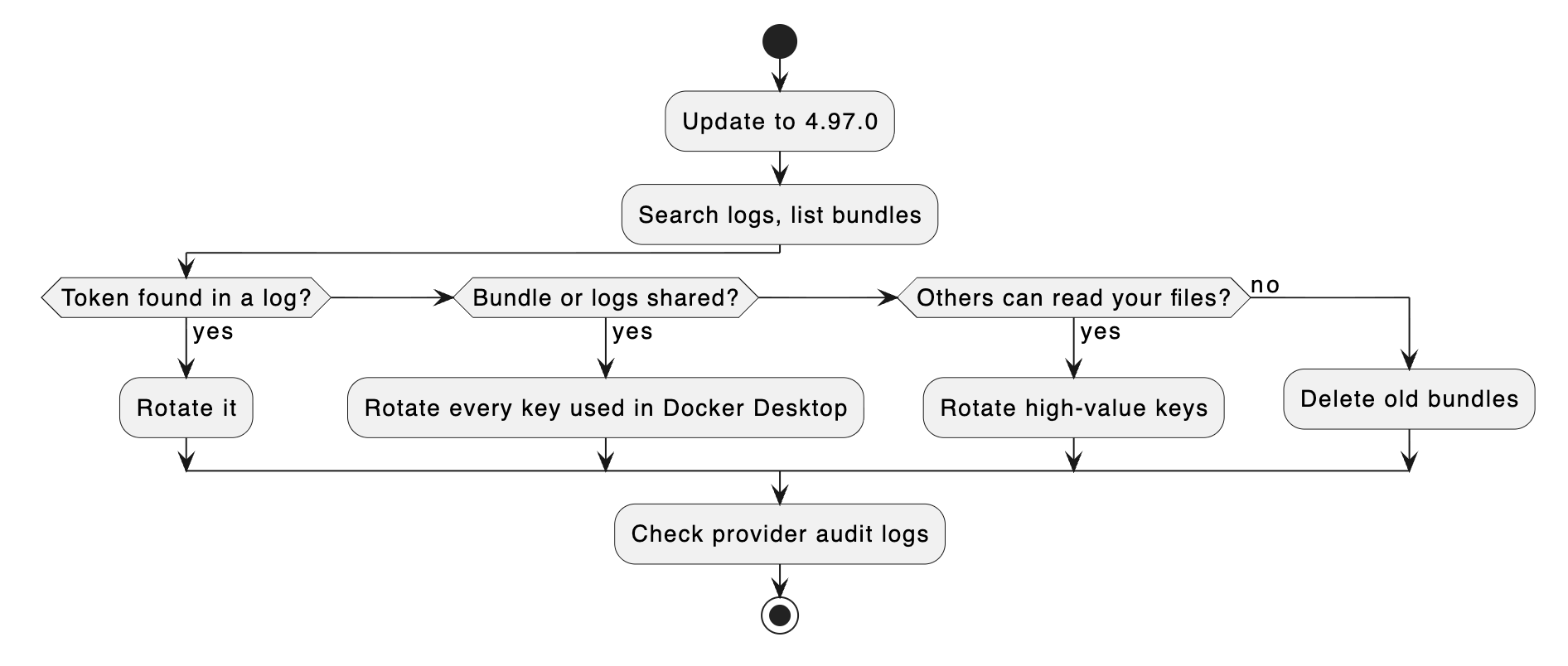
View PlantUML source
@startuml
skinparam shadowing false
skinparam defaultFontSize 14
start
:Update to 4.97.0;
:Search logs, list bundles;
if (Token found in a log?) then (yes)
  :Rotate it;
elseif (Bundle or logs shared?) then (yes)
  :Rotate every key used in Docker Desktop;
elseif (Others can read your files?) then (yes)
  :Rotate high-value keys;
else (no)
  :Delete old bundles;
endif
:Check provider audit logs;
stop
@enduml
The rotation order is the same for each service: create the new credential, update the tools that use it, revoke the old one, then read the provider's audit log for use you don't recognize.
| Credential | Where to revoke | Note |
|---|---|---|
GitHub personal token (ghp_, github_pat_) | Developer settings on GitHub | Set an expiry on the new one |
GitHub OAuth token (gho_) | Authorized apps in account settings | Revoking the app kills its tokens |
| MCP Toolkit OAuth service | Toolkit OAuth tab, Revoke | Then authorize again |
| AI or other API keys | That provider's key console | Check usage and billing too |
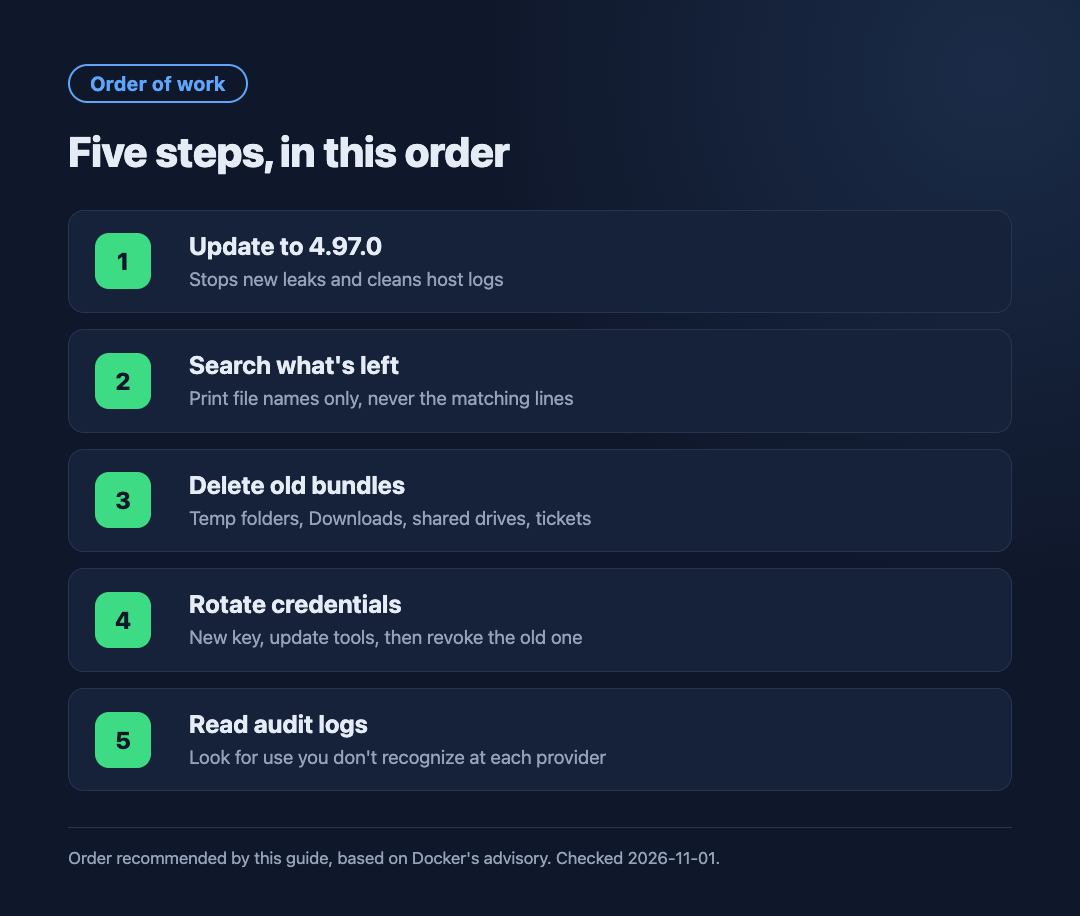
The same rotation habit applies after any developer tool incident. The Claude Code extension backdoor guide walks through a harsher case. Docker also shipped a separate trust fix in 4.96.2 and 4.96.3, explained in the eMudhra certificate guide, and moving to 4.97.0 puts you past those releases.
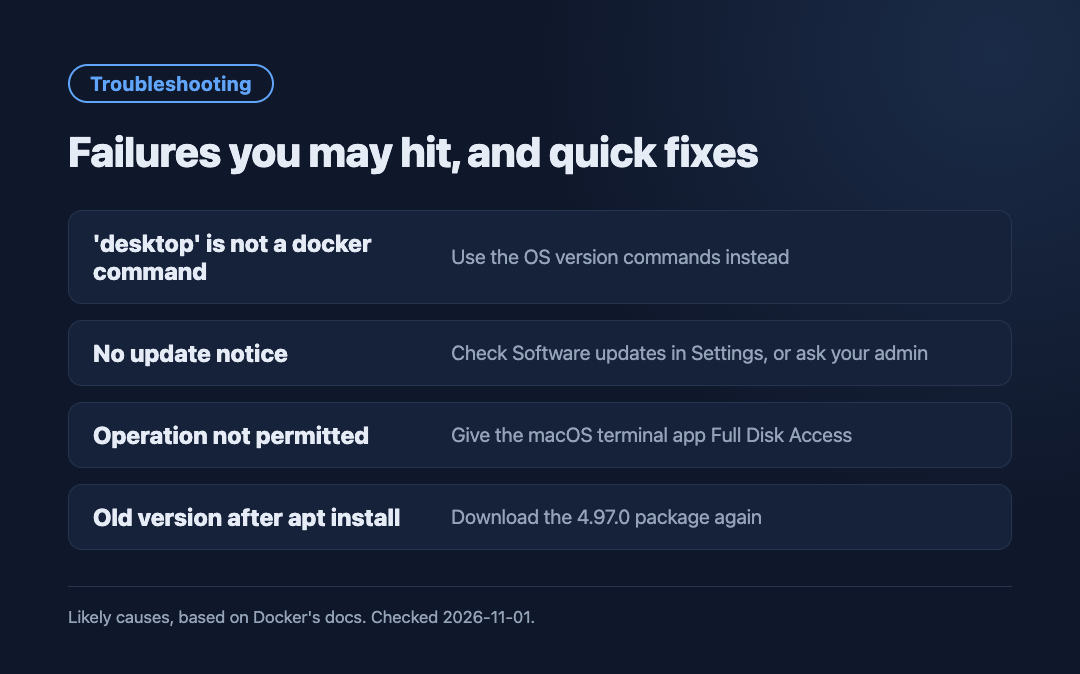
If the Docker Desktop update or cleanup fails
| Symptom | Likely cause | Fix |
|---|---|---|
'desktop' is not a docker command | Old version or Docker Engine only | Use the OS commands above. The CVE record lists Docker Desktop only |
| Update notice never appears | Automatically check for updates is off, or your organization manages settings | Check Software updates in Settings, or ask your admin |
Operation not permitted on macOS | Terminal can't read the container folder | Grant Full Disk Access to the terminal app |
apt reinstalls the old version | Old package file still in the folder | Download the 4.97.0 .deb again |
| Docker Desktop won't start | Unknown, needs diagnostics | Follow the com.docker.diagnose steps in the troubleshooting guide. Its -upload flag sends the bundle to Docker |
FAQ
Is my Docker Hub password or token in these logs?
Docker says the OAuth tokens in this flaw are not Docker account tokens. An earlier, separate flaw, CVE-2025-13743, did involve expired Docker Hub tokens in diagnostics. If you shared old bundles, rotating your Docker Hub token is a small job and removes the doubt.
I'm on 4.95.0. Do I still need the update?
Yes. Docker says logs containing credentials can remain after upgrading to 4.94.0 or 4.95.0. Only 4.97.0 adds the cleanup, and it also carries the kernel fix.
Does this affect Docker Engine on a Linux server?
The CVE-2026-114409 record lists Docker Desktop on Linux, macOS and Windows only. CVE-2026-99999 is a Linux kernel flaw, so patch server kernels through your distribution.
Do I need to rotate keys if nobody else uses my laptop?
It depends on where your logs went. If you never shared a bundle and your search finds nothing, deleting old bundles is a reasonable stopping point. Rotate anyway if a backup or sync tool copies your home folder to a place other people can read.
Can I keep using the diagnostics feature?
Yes. Docker lists the flaw as fixed in 4.97.0. Bundles still hold system details, so review what you're sending and share them only with the people who need them.
References
All checked 2026-11-01.
- Docker security announcements
- Docker Desktop 4.97.0 release notes
- Troubleshoot Docker Desktop
docker desktop updateCLI reference- Read the daemon logs
- Uninstall Docker Desktop
- Install Docker Desktop on Ubuntu, Fedora, Arch and Windows
- Docker Desktop settings
- MCP Toolkit docs
- GitHub token expiration and revocation
- GitHub token prefixes
- CVE-2026-114409 on OpenCVE
- CVE-2026-99999 on OpenCVE
- CVE-2025-13743 on Wiz
- Homebrew docker-desktop cask