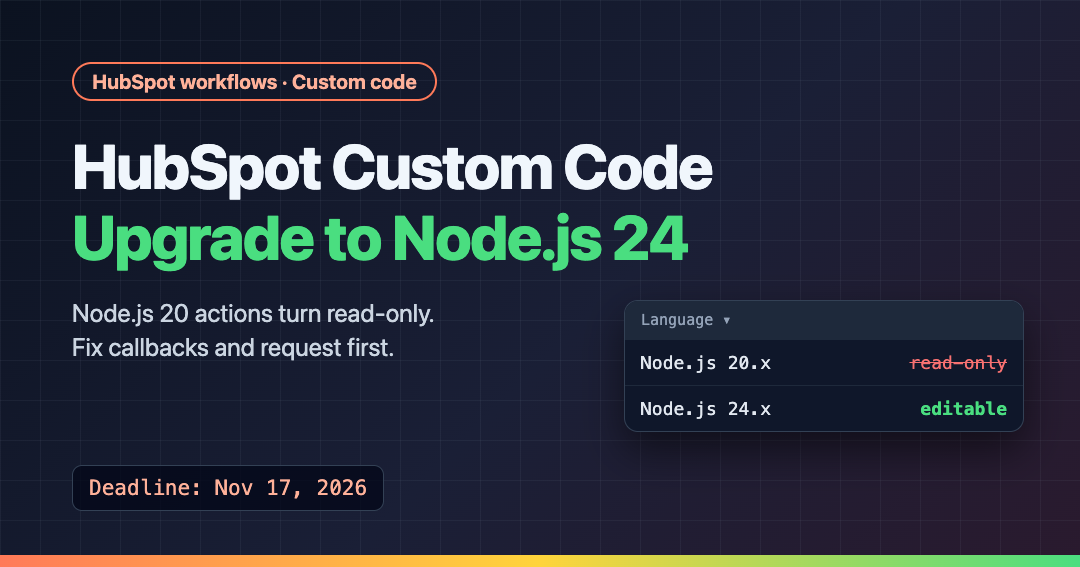
The HubSpot custom code Node.js 24 upgrade has a hard date: workflow actions on Node.js 20 become read-only on November 17, 2026. For each action: drop the callback style, return outputFields from an async handler, and replace the request library. Your Node.js 20 actions keep running after the deadline, but you won't be able to save changes to them, so upgrade and test them now.
Written November 10, 2026 (KST). Facts checked on November 10, 2026 against HubSpot's developer changelog (published November 3, updated November 4, 2026), the official "Upgrade custom code actions to Node.js 24" guide, the custom code actions reference and the @hubspot/api-client changelog on GitHub. I have not run these changes in a HubSpot portal. The code samples are my own examples based on the documented rules. Test them on a test record first.
What changes for HubSpot custom code actions on November 17
HubSpot announced the change in its developer changelog on November 3, 2026. Node.js 16 and 20 no longer receive security updates, so HubSpot is moving workflow custom code actions to Node.js 24 and closing the older runtimes in two steps.
| Date | What happens | Still works |
|---|---|---|
| Nov 3, 2026 | No new Node.js 20 custom code actions | Existing Node.js 20 actions run and can be edited |
| Nov 17, 2026 | Existing Node.js 20 actions can't be saved | They keep running as they are |
| Feb 1, 2027 | Design manager serverless functions stop running | Developer project functions (Node.js 24) |
| Jan 5, 2027 | Python 3.9 custom code is sunset | HubSpot recommends Python 3.14 |
Node.js 16 actions already have the same lock: they run, but you can't save changes until you switch them to a newer runtime. As of November 10, 2026, HubSpot hasn't announced a date when Node.js 20 actions will stop running.
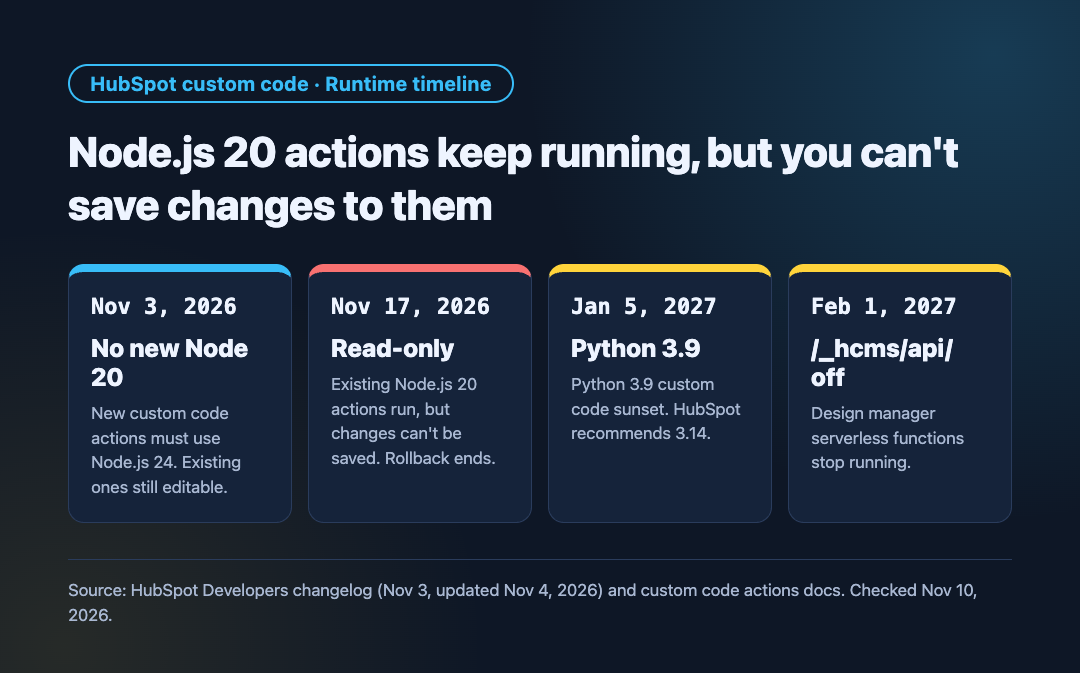
The risk on November 18 is not an outage. It's a workflow you can't fix. If a property name changes or an API call starts failing, a read-only Node.js 20 action can't be edited. You'd have to rebuild it on Node.js 24 under pressure.
The same changelog also covers design manager serverless functions (the /_hcms/api/ endpoints). You can't edit them after November 17 either, and they stop running on February 1, 2027. HubSpot says it can't migrate them automatically; they move to developer projects served from /hs/serverless/. That migration needs its own guide, so this post covers workflow custom code actions only.
Find every Node.js 20 custom code action
HubSpot doesn't give you a single list of runtimes, so you check each workflow. The official steps:
- Go to Automation > Workflows.
- Add an Action type filter and select Custom code.
- Hover over each workflow and click Edit workflow.
- Click each custom code action and read the Language dropdown. Anything on Node.js 16.x or Node.js 20.x needs an upgrade.
Before you change anything, copy each action's code out of HubSpot into a text file or a Git repository. Name the files after the workflow and action so you can match them later. You'll need this copy to compare Breeze's output and to roll back.
A simple folder layout works:
hubspot-custom-code-backup/
  lead-routing__assign-owner__node20.js
  lead-routing__assign-owner__node24.js
  deal-sync__post-to-erp__node20.js
  deal-sync__post-to-erp__node24.js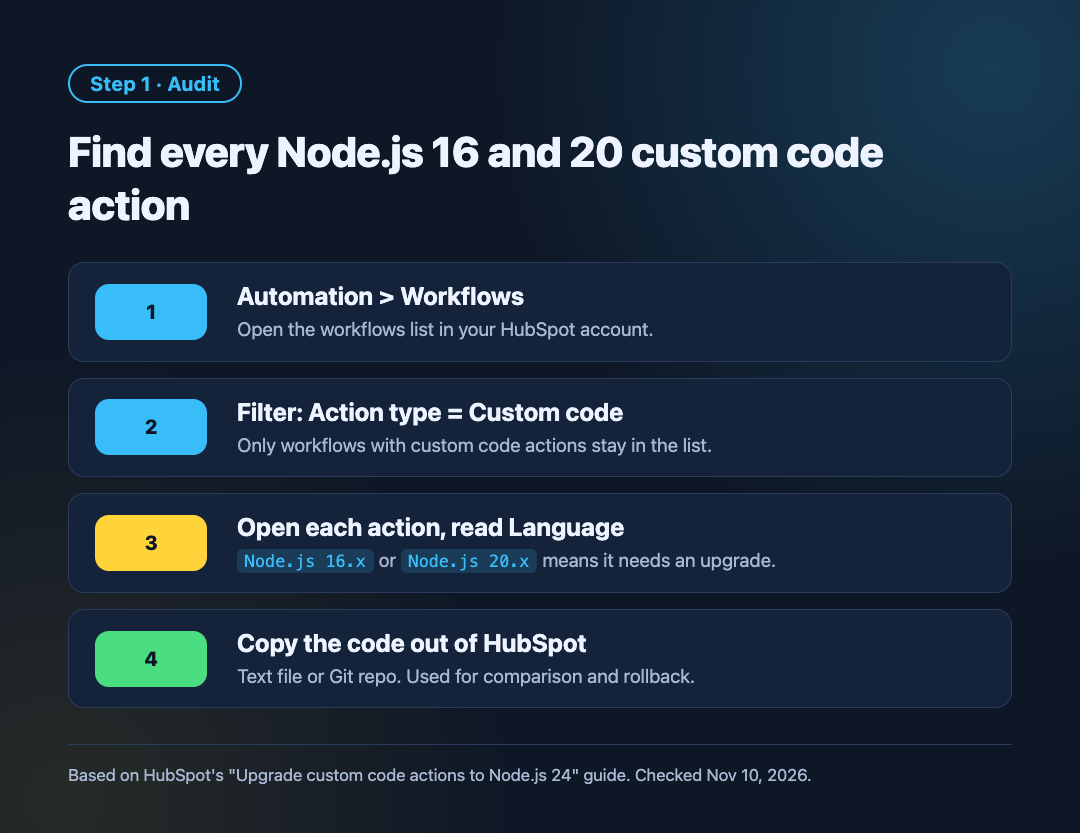
Upgrade HubSpot custom code to Node.js 24
You have two ways to upgrade: let Breeze rewrite the code, or edit it yourself. The HubSpot CLI can't update custom code actions, so both happen in the workflow editor.
Option 1: Upgrade with Breeze
Click a Node.js 16 or 20 action. A warning appears under the Language dropdown with an Upgrade with Breeze button. Breeze then updates every custom code action in that workflow to Node.js 24. You can also open Collaborate with Assistant and ask Breeze to update the Node 16 or 20 actions.
HubSpot's own guide warns that Breeze can make mistakes. Before you save, check three things against your backup:
- The logic is the same: same conditions, same API calls, same property names.
- Every field under Data outputs is still returned.
- Each API method exists in
@hubspot/api-client13.
Option 2: Upgrade manually
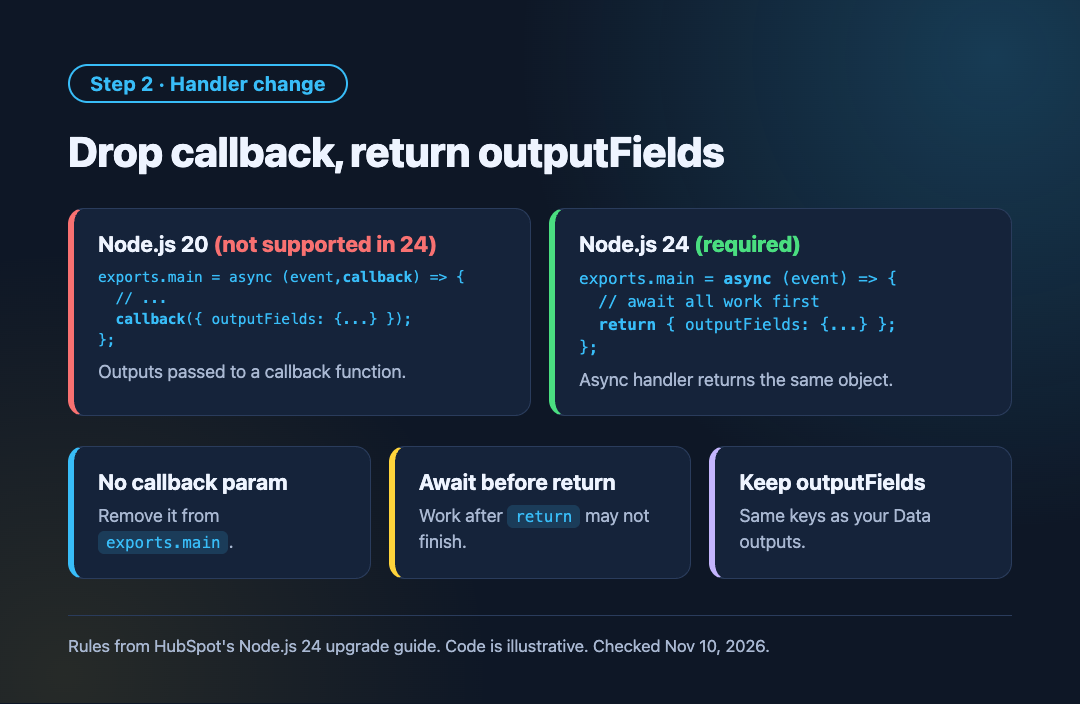
Open the action, set Language to Node.js 24.x, then apply the changes below. The biggest one is the handler signature. Node.js 24 doesn't support callback-style handlers.
A typical Node.js 20 action looks like this:
// Node.js 20 style (callback)
const hubspot = require('@hubspot/api-client');

exports.main = async (event, callback) => {
  const client = new hubspot.Client({ accessToken: process.env.PRIVATE_APP_TOKEN });
  const contact = await client.crm.contacts.basicApi.getById(
    event.object.objectId, ['email', 'lifecyclestage']
  );
  callback({
    outputFields: { email: contact.properties.email }
  });
};
The Node.js 24 version removes callback and returns the same object:
// Node.js 24 style (async + return)
const hubspot = require('@hubspot/api-client');

exports.main = async (event) => {
  const client = new hubspot.Client({ accessToken: process.env.PRIVATE_APP_TOKEN });
  const contact = await client.crm.contacts.basicApi.getById(
    event.object.objectId, ['email', 'lifecyclestage']
  );
  return {
    outputFields: { email: contact.properties.email }
  };
};
Three rules from HubSpot's guide:
exports.mainmust beasyncand must not take acallbackparameter.- The returned object must still contain
outputFields. awaiteverything before you return. Code still running afterreturnisn't guaranteed to finish, so a fire-and-forgetfetch()to a webhook can be lost.
PRIVATE_APP_TOKEN is just the name of a secret you added to the action; secrets are read with process.env.<SECRET_NAME> in both runtimes.
Replace the request library
request was bundled with Node.js 20 actions but isn't available in Node.js 24. Use the built-in fetch() or the bundled axios. Here's a typical swap:
// Node.js 24: built-in fetch instead of request
exports.main = async (event) => {
  const res = await fetch('https://api.example.com/leads', {
    method: 'POST',
    headers: {
      'Content-Type': 'application/json',
      'Authorization': `Bearer ${process.env.ERP_API_KEY}`
    },
    body: JSON.stringify({ id: event.object.objectId })
  });
  if (!res.ok) {
    throw new Error(`ERP returned ${res.status}`);
  }
  const data = await res.json();
  return { outputFields: { erp_id: String(data.id) } };
};
Note that fetch() doesn't throw on HTTP errors, so check res.ok yourself. axios does throw on 4xx and 5xx responses.
Check library versions
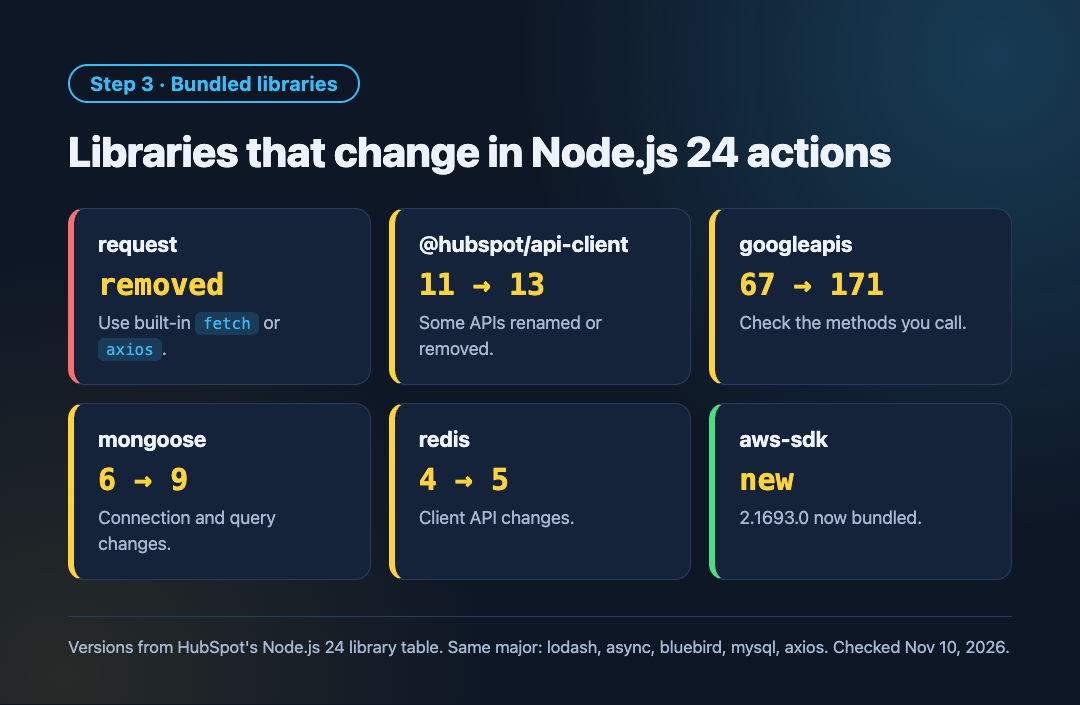
Node.js 24 actions ship fixed library versions. The ones most likely to break code:
| Library | Node.js 20 | Node.js 24 | What to check |
|---|---|---|---|
@hubspot/api-client | ^11.1.0 | 13.4.0 | Renamed and removed APIs |
request | ^2.88.2 | Not included | Use fetch or axios |
googleapis | ^67.0.0 | 171.4.0 | Method signatures |
mongoose | ^6.8.0 | 9.2.2 | Connection and query API |
redis | ^4.5.1 | 5.11.0 | Client API |
axios | ^1.2.0 | 1.13.5 | Usually safe |
aws-sdk 2.1693.0 is new in Node.js 24. lodash, async, bluebird, mysql and random-number-csprng stay on the same major version.
For @hubspot/api-client, the GitHub changelog lists these changes between 11 and 13 that can affect custom code:
| Version | Change |
|---|---|
| 12.0.0 | publicObjectApi renamed to mergeApi in companies, contacts, deals and tickets |
| 12.0.0 | marketing.events.batchApi and searchApi removed |
| 13.0.0 | crm.companies.mergeApi and crm.contacts.GDPRApi removed |
| 13.0.0 | files.filesApi.archiveGDPR() renamed to _delete() |
| 13.0.0 | events.send.customEventDataApi renamed to basicApi |
Common calls like crm.contacts.basicApi.getById and crm.associations are not in this list, but search your backup for every client. call and check it against the changelog.
Keep retries working
HubSpot retries an action after a 429 rate limit or a 5XX error from axios or @hubspot/api-client, for up to three days. That only happens if the error leaves your code. If you catch it, throw it again:
exports.main = async (event) => {
  try {
    // API calls here
    return { outputFields: { status: 'ok' } };
  } catch (err) {
    console.error(err.message);
    throw err; // lets HubSpot retry rate limit and 5XX errors
  }
};
The other limits stay the same: 20 seconds of run time, 128 MB of memory, and 1,000 characters for all secret values combined.
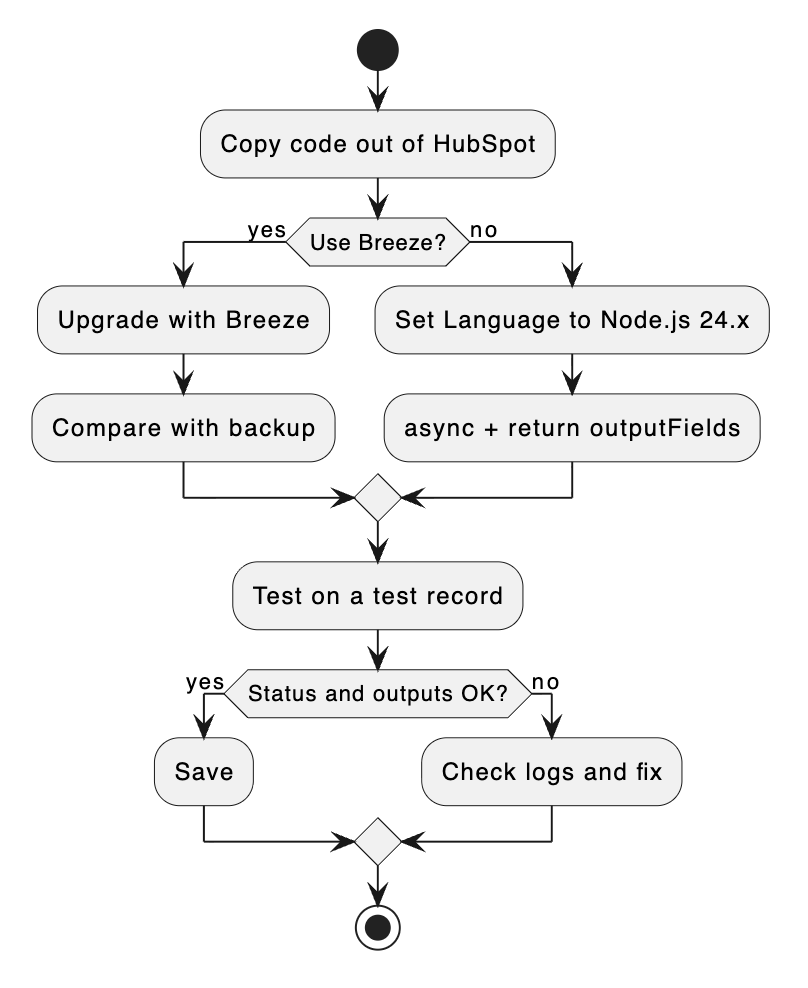
View PlantUML source
@startuml
start
:Copy code out of HubSpot;
if (Use Breeze?) then (yes)
  :Upgrade with Breeze;
  :Compare with backup;
else (no)
  :Set Language to Node.js 24.x;
  :async + return outputFields;
endif
:Test on a test record;
if (Status and outputs OK?) then (yes)
  :Save;
else (no)
  :Check logs and fix;
endif
stop
@enduml
Test and save each action
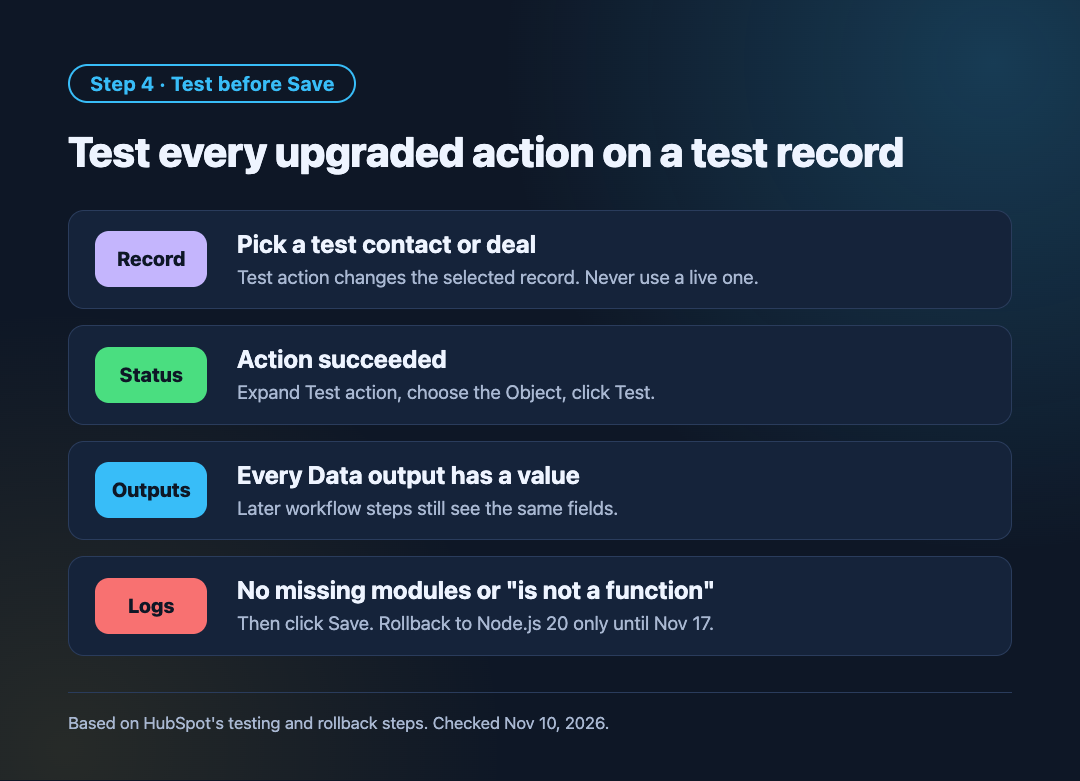
Testing runs only the custom code action, not the whole workflow, and it does change the selected record. Use a test contact or deal, not a live one.
- Click the action in the workflow editor.
- Expand Test action at the bottom.
- Pick your test record in the Object dropdown.
- Click Test and confirm.
- Check Status (success), Data outputs (every field has the expected value) and Logs (no missing modules or
is not a functionerrors). - Click Save only after the test passes.
If a later step in the workflow uses an output, open that step and confirm the output still appears in its dropdown.
Roll back before November 17 if you need to
Until November 17, 2026, you can still switch an action back to Node.js 20.x, paste your saved code, test and save. After that date, rollback is gone. Node.js 16 actions can't be rolled back at all because 16 is no longer selectable. If you need more time, roll back now. After November 17, your only choice is to fix the action on Node.js 24.
If an upgraded action fails
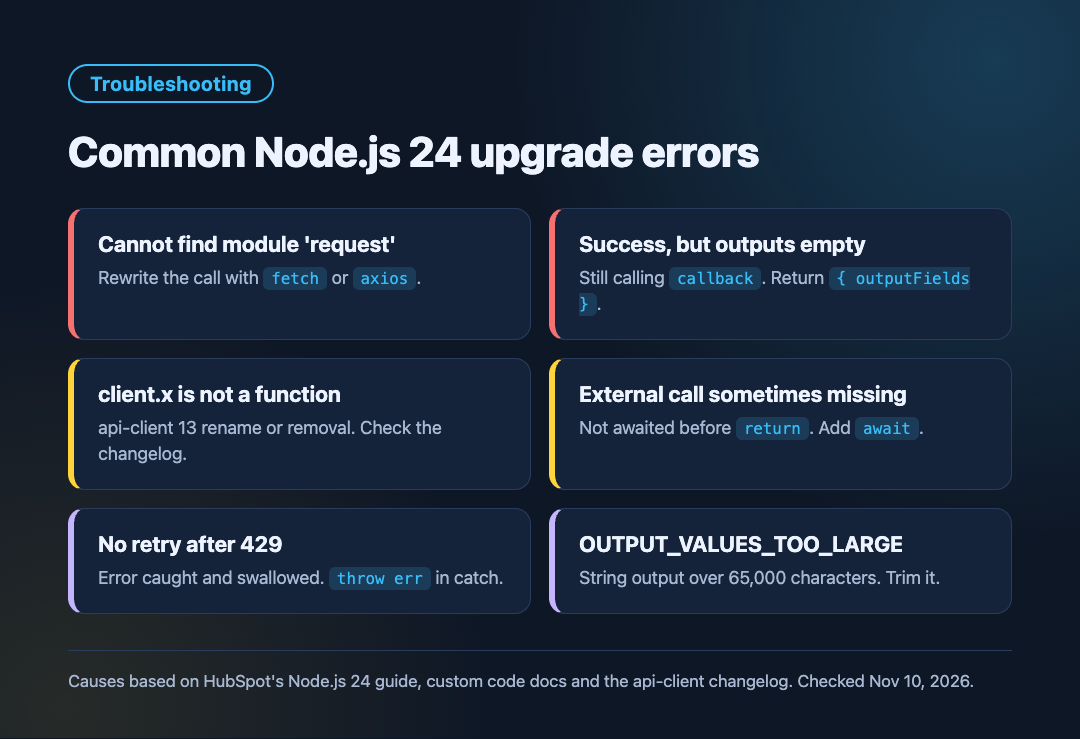
| Symptom | Likely cause | Fix |
|---|---|---|
Cannot find module 'request' | request not in Node.js 24 | Rewrite with fetch or axios |
| Outputs empty, status success | Still calling callback | return { outputFields } |
... is not a function on client. | api-client 13 rename or removal | Check the changelog, use the new name |
| Data posted to an external API sometimes missing | Work not awaited before return | await every call |
| No retry after a 429 | Error caught and not thrown | throw err in catch |
OUTPUT_VALUES_TOO_LARGE | String output over 65,000 characters | Trim or split the output |
If you run other automation platforms, the same check-before-a-runtime-change approach applies. See our n8n Migration Report guide for the 3.0 upgrade. For Node.js projects you control yourself, the Node.js 26 LTS upgrade checklist covers what changes outside HubSpot's managed runtime.
FAQ
Will my Node.js 20 workflows stop on November 17? No. HubSpot says existing Node.js 20 custom code actions keep running. From November 17, 2026 you just can't save changes to them. As of November 10, 2026, no shutdown date has been announced.
Can I upgrade custom code actions with the HubSpot CLI? No. HubSpot's guide says the CLI can't update custom code actions. Use Breeze or edit them manually in the workflow editor.
Do I need to change how I read secrets? HubSpot's upgrade guide doesn't list a change. Secrets are still read with process.env.<SECRET_NAME>, and the combined 1,000-character limit still applies.
Is the Breeze upgrade safe to save without testing? HubSpot says Breeze can make mistakes. Compare its output with your backup, confirm every data output, and run Test action on a test record before saving.
Does this affect Python custom code? Not on November 17. Python 3.9 custom code is sunset on January 5, 2027, and HubSpot recommends moving to Python 3.14.
Once your Node.js 20 actions are on Node.js 24, keep the backup folder. It's your best reference the next time HubSpot changes a runtime. To keep watching Node.js security fixes, see what to expect from the Node.js security release on November 11.
References
- HubSpot Developers changelog: Sunsetting design manager serverless functions and older Node.js runtimes for custom code actions (published November 3, updated November 4, 2026; checked November 10, 2026)
- HubSpot docs: Upgrade custom code actions to Node.js 24 (checked November 10, 2026)
- HubSpot docs: Custom code actions (checked November 10, 2026)
- GitHub: HubSpot/hubspot-api-nodejs CHANGELOG (versions 12.0.0 and 13.0.0; checked November 10, 2026)
- MDN Web Docs: Using the Fetch API (checked November 10, 2026)