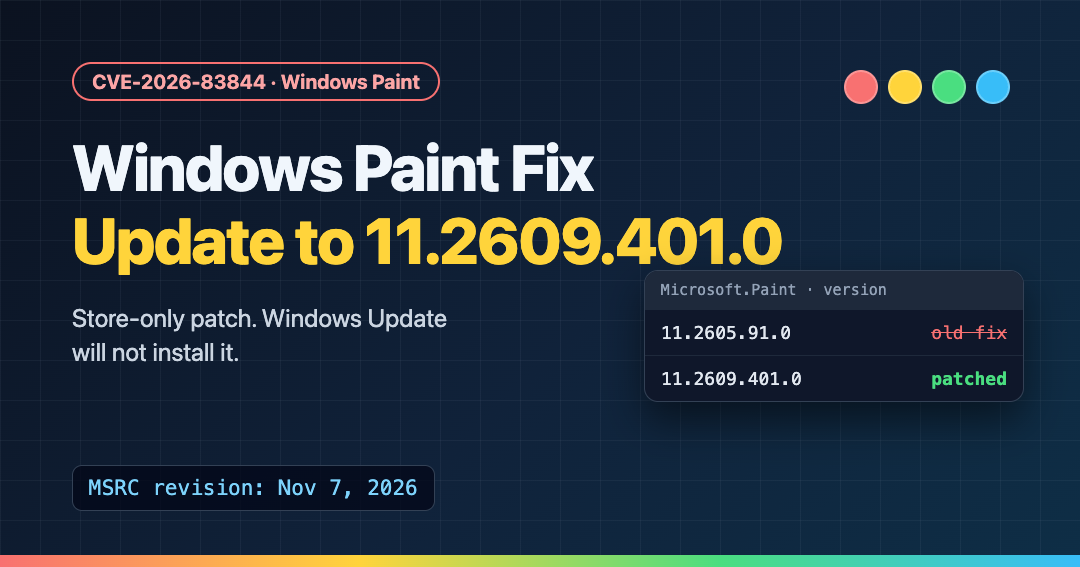
Windows Paint CVE-2026-83844 is fixed only in Paint build 11.2609.401.0 or later, and that build comes from the Microsoft Store, not Windows Update. If you patched to 11.2605.91.0 after the October advisory, you are still on an affected build. Check the installed version for every user on the PC, update through the Store, winget or Intune, then check again.
Written November 10, 2026 (KST). Facts checked on November 10, 2026 against Microsoft's Security Update Guide entry for CVE-2026-83844 (revision 2.1, November 7, 2026), the CVE.org record (updated November 7, 2026 UTC) and Microsoft's winget, Appx and Intune documentation. I have not reproduced the vulnerability. The PowerShell snippets are my own examples built on documented cmdlets; test them on one machine before running them across a fleet.
What changed in the Windows Paint CVE-2026-83844 advisory
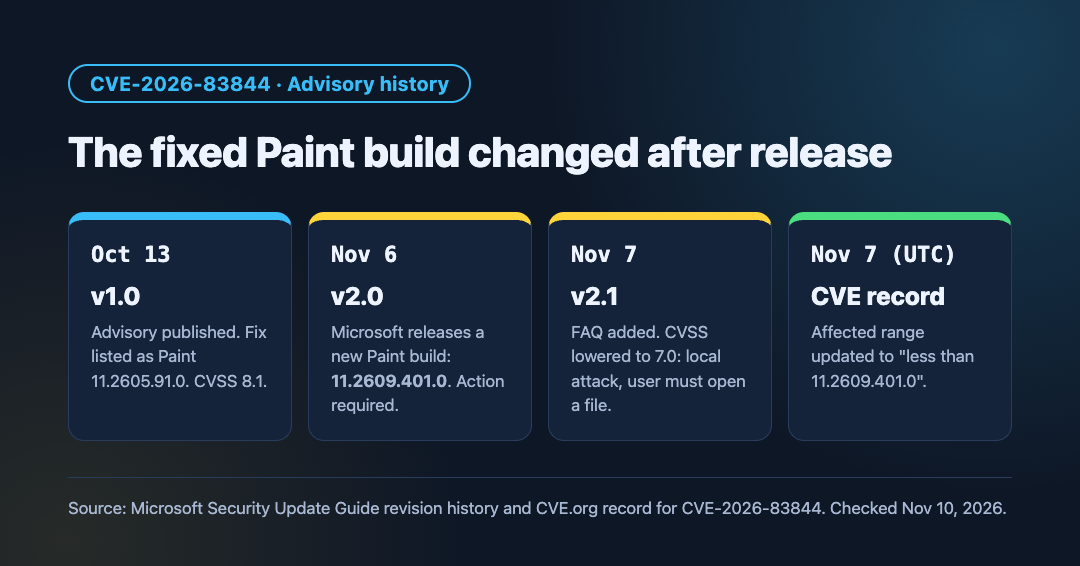
Microsoft published CVE-2026-83844 on October 13, 2026 as part of the October security release. It is an out-of-bounds read (CWE-125) in Windows Paint that Microsoft classes as remote code execution. The advisory originally named Paint 11.2605.91.0 as the fixed build.
Two revisions in early November changed that:
| Date | MSRC revision | What changed |
|---|---|---|
| Oct 13, 2026 | 1.0 | Advisory published |
| Nov 6, 2026 | 2.0 | New Paint build 11.2609.401.0 released as the fix |
| Nov 7, 2026 | 2.1 | FAQ added, CVSS updated to 7.0 |
| Nov 7, 2026 (UTC) | CVE.org | Affected range set to below 11.2609.401.0 |
Revision 2.0 is the one that matters for patching. Microsoft's own wording is that it "released a new version of Paint with build version number 11.2609.401.0" and that customers should install it or confirm it arrived automatically. The Security Update Guide marks the CVE as customer action required.
How serious is it now?
Revision 2.1 lowered the CVSS 3.1 base score from 8.1 to 7.0 (AV:L/AC:H/PR:N/UI:R/S:U/C:H/I:H/A:H). The new FAQ explains that "remote" in the title describes where the attacker is, not how the attack runs. The attack happens locally: a user has to be tricked into opening a crafted file in Paint. Microsoft also says exploitation needs a deep understanding of the target system.
As of November 10, 2026, Microsoft lists the flaw as not publicly disclosed, not exploited, and "Exploitation Less Likely". Severity stays Important. No workaround is listed; the only mitigation is the new build.
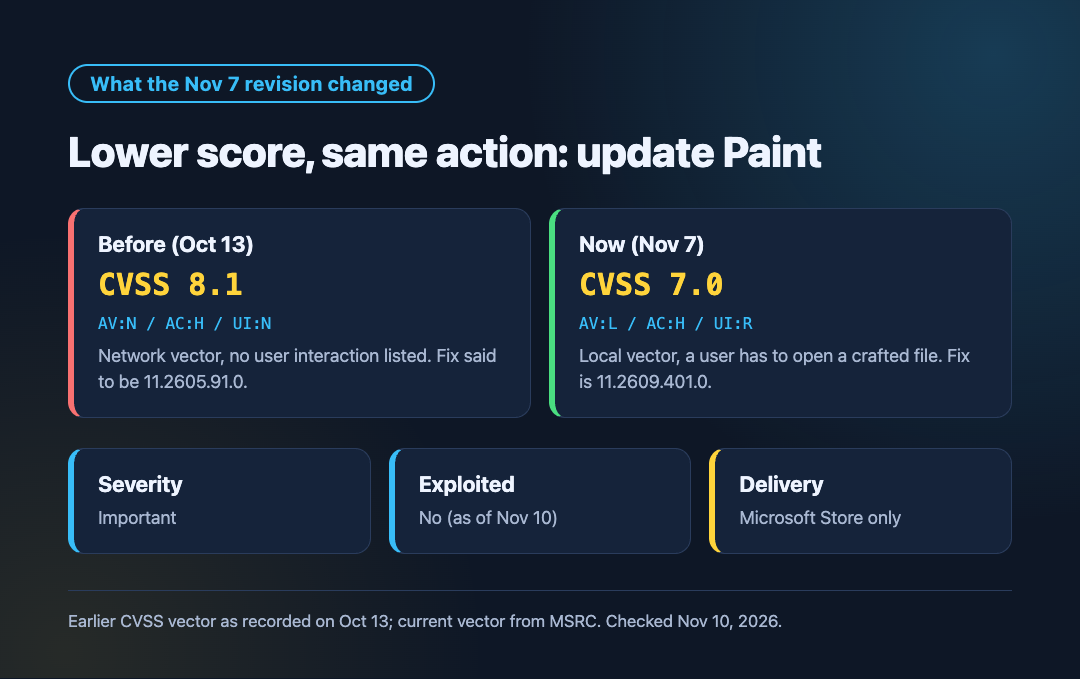
The lower score is not a reason to skip the update. Paint opens images people download and receive by email, which is exactly the "user opens a crafted file" scenario. If your vulnerability scanner used the old range, it may also have marked 11.2605.91.0 as safe. The CVE record now uses the new range, so scanners that refresh their data should start flagging those machines.
How to check your Windows Paint version
Paint is a Microsoft Store app with the package name Microsoft.Paint and Store product ID 9PCFS5B6T72H. Each Windows user profile can hold its own copy, so one patched profile does not prove the PC is patched.
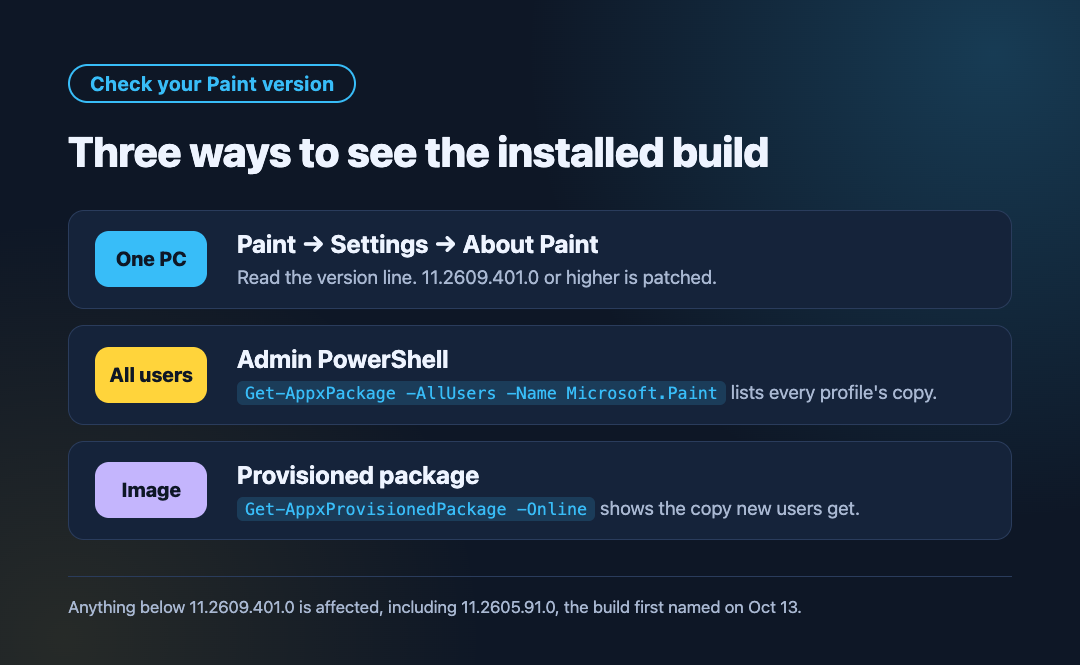
On one PC: open Paint, select the gear icon (Settings), and read the version under About Paint. You need 11.2609.401.0 or higher.
For every profile on a PC: open PowerShell as administrator and run:
Get-AppxPackage -AllUsers -Name Microsoft.Paint |
  Select-Object Name, Version, PackageUserInformation
To get a simple yes or no, compare versions as [version] objects rather than strings:
$min = [version]'11.2609.401.0'
Get-AppxPackage -AllUsers -Name Microsoft.Paint | ForEach-Object {
  [pscustomobject]@{
    Version = $_.Version
    Patched = ([version]$_.Version -ge $min)
  }
}
For the provisioned copy (what new user profiles receive):
Get-AppxProvisionedPackage -Online |
  Where-Object DisplayName -eq 'Microsoft.Paint' |
  Select-Object DisplayName, Version
Any result below 11.2609.401.0 is affected. That includes 11.2605.91.0, the build the October advisory first named.
Update Windows Paint to 11.2609.401.0
Monthly cumulative updates, WSUS approvals and KB installs do not touch Paint. The Security Update Guide links the fix to the Microsoft Store listing, not to a KB package. If you already handle Windows patching through Windows Update, as in our guide to upgrading from Windows 11 24H2 to 26H2, you still need a separate step for Store apps.
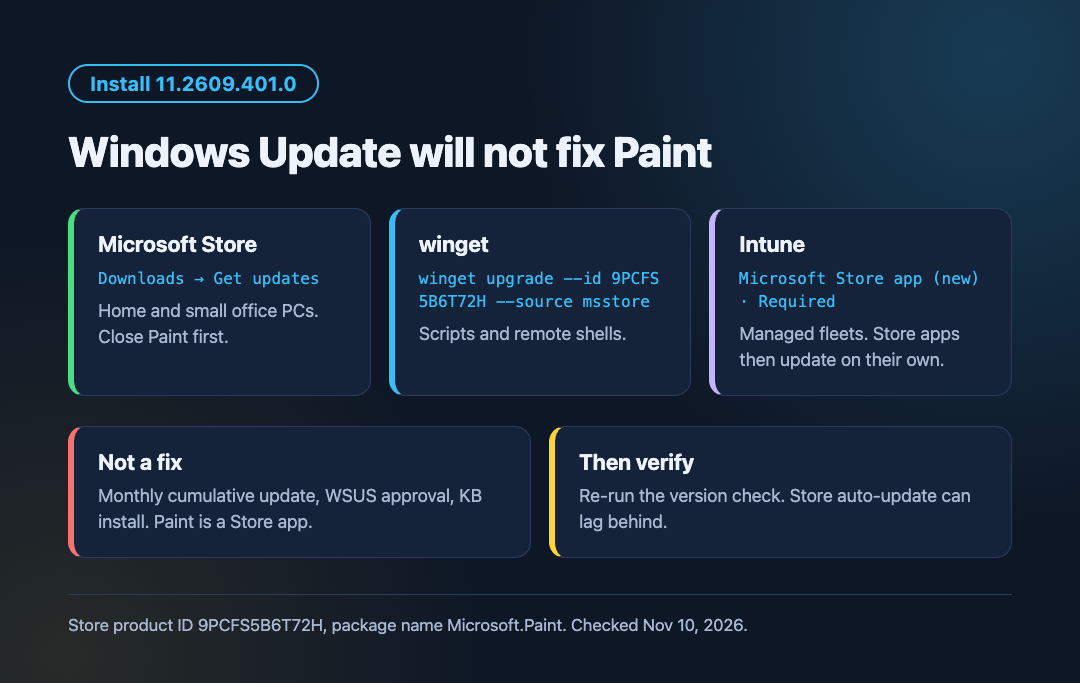
| Setup | Update method | Notes |
|---|---|---|
| Personal or small office PC | Microsoft Store → Downloads → Get updates | Close Paint first |
| Scripted or remote | winget upgrade with the Store ID | Runs in the signed-in user's context |
| Intune-managed fleet | Microsoft Store app (new), assignment Required | Store apps then update automatically |
| Store blocked by policy | Allow Store app updates, or remove Paint | Removal is not a Microsoft workaround |
Microsoft Store
- Close Paint.
- Open Microsoft Store.
- Select Downloads in the lower-left corner (named Library on some builds).
- Select Get updates and wait for Paint to finish.
- Reopen Paint and check About Paint again.
winget
Run this in the user's session:
winget upgrade --id 9PCFS5B6T72H --source msstore --accept-package-agreements --accept-source-agreementsIf winget reports no available upgrade, either the PC already has the new build or the Store catalog has not reached it yet. Run the version check above to tell which.
Intune and managed fleets
Microsoft's guidance for Intune is to add Store apps as Microsoft Store app (new). Apps deployed that way stay updated by the Store. Assign Paint as Required to the device or user groups you need to cover, then use the PowerShell check, a remediation script or your vulnerability scanner to confirm the version.
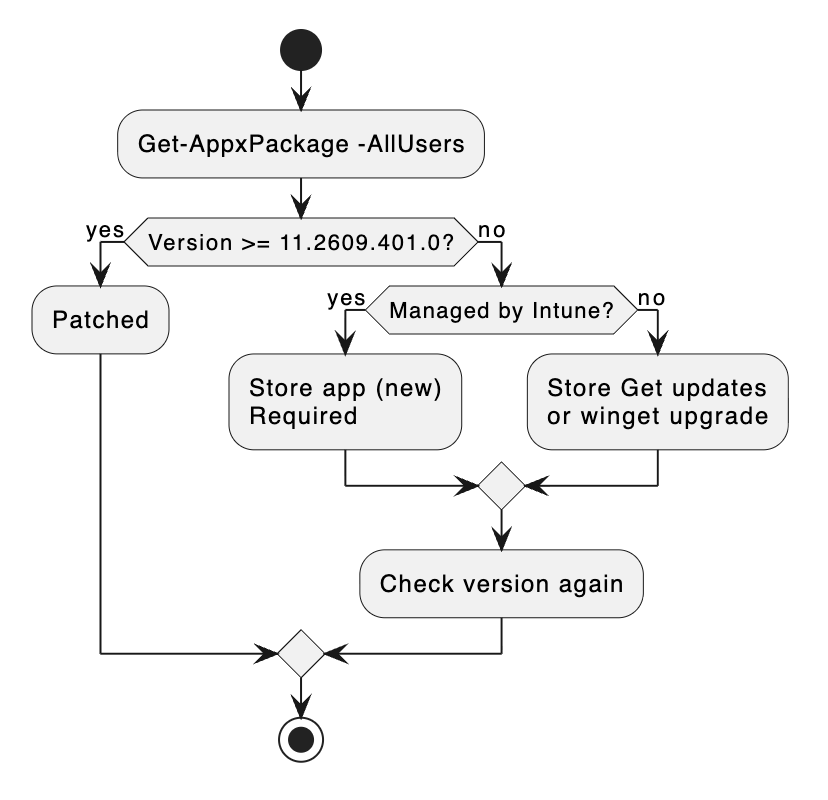
View PlantUML source
@startuml
start
:Get-AppxPackage -AllUsers;
if (Version >= 11.2609.401.0?) then (yes)
  :Patched;
else (no)
  if (Managed by Intune?) then (yes)
    :Store app (new)\nRequired;
  else (no)
    :Store Get updates\nor winget upgrade;
  endif
  :Check version again;
endif
stop
@enduml
This is the same pattern we used for browser patches such as the Chrome 156 security update: confirm the exact build number on the machine, not just that an update ran.
If Paint will not update
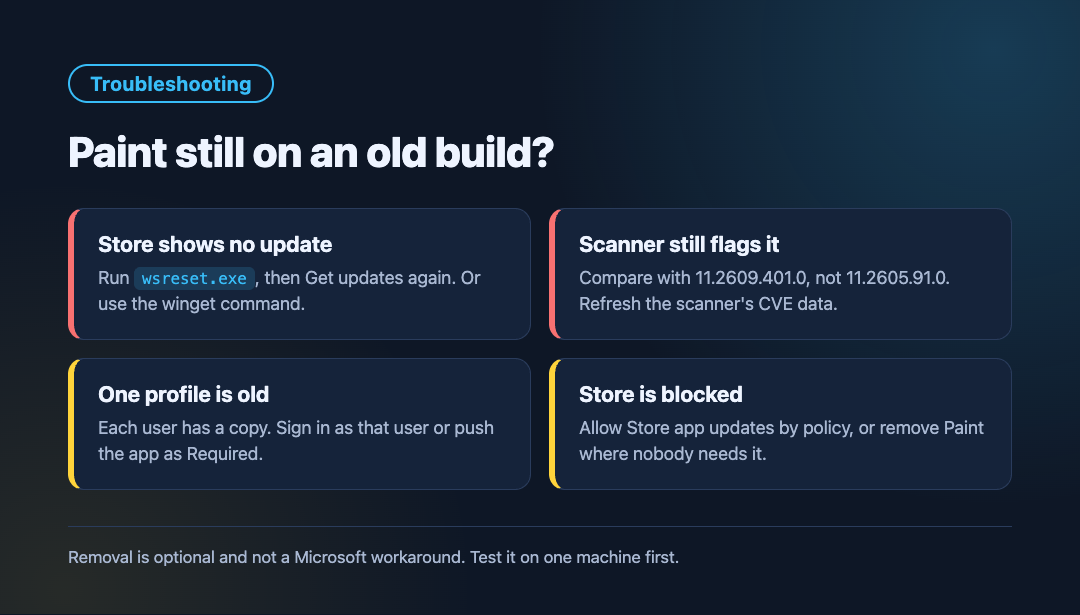
The Store says everything is up to date. Run wsreset.exe to clear the Store cache, open the Store again and select Get updates. Third-party checks reported that the fixed build appeared in the Store catalog on November 6, 2026, a little before Microsoft's revision went out, so some PCs may simply not have caught up yet.
Your scanner still flags Paint after updating. Make sure it compares against 11.2609.401.0. Some tools cached the October range ("below 11.2605.91.0"), which both under-reports and confuses results. Refresh the scanner's vulnerability feed; the CVE.org record was updated on November 7, 2026 (UTC).
Only one profile is outdated. Store apps update per user. Sign in as that user and run Get updates, or deploy Paint as Required through Intune so every user gets the current build.
Store updates are blocked by policy. Allow Store app updates for this package, or deliver Paint through your management tool. If nobody on the machine uses Paint, removing it is an option. This is not a Microsoft workaround, so test it on one PC first:
Get-AppxPackage -AllUsers -Name Microsoft.Paint | Remove-AppxPackage -AllUsers
Get-AppxProvisionedPackage -Online |
  Where-Object DisplayName -eq 'Microsoft.Paint' |
  Remove-AppxProvisionedPackage -Online
Users can reinstall Paint from the Store later; it will install the current build.
FAQ
Is CVE-2026-83844 being exploited? Not according to Microsoft. As of November 10, 2026 the Security Update Guide lists it as not exploited and not publicly disclosed, with "Exploitation Less Likely".
Does the November Patch Tuesday update fix Paint? No. Paint is a Store app, and Microsoft's fix for this CVE is the Store build 11.2609.401.0. Cumulative updates from Windows Update do not change the Paint package.
I updated to 11.2605.91.0 in October. Am I safe? No. Microsoft replaced that fix on November 6, 2026. Every build below 11.2609.401.0, including 11.2605.91.0, is in the affected range.
Why did the CVSS score drop from 8.1 to 7.0? Microsoft's November 7 revision changed the attack vector to local with user interaction required: someone must open a crafted file. Microsoft calls this an informational change. The fix and the required action stay the same.
Do I need to restart Windows after updating Paint? Microsoft lists the reboot requirement as "Maybe". In practice, close Paint before updating, then reopen it and confirm the version. Restart if the old version is still reported.
Once Paint is patched, keep the version check script for your next Store app advisory. If you also manage Windows sign-in changes this month, see our fix for NTLMv1 Enforce mode Wi-Fi and VPN errors after KB5127648.
References
- Microsoft Security Response Center: CVE-2026-83844 Windows Paint Remote Code Execution Vulnerability (revision 2.1, November 7, 2026; checked November 10, 2026)
- Microsoft Store: Paint (9PCFS5B6T72H) (checked November 10, 2026)
- CVE.org: CVE-2026-83844 record (updated November 7, 2026 UTC; checked November 10, 2026)
- Microsoft Learn: winget upgrade command (checked November 10, 2026)
- Microsoft Learn: Get-AppxPackage (checked November 10, 2026)
- Microsoft Learn: Add Microsoft Store apps to Microsoft Intune (checked November 10, 2026)
- RFF: Windows Paint CVE-2026-83844: the fixed build is in the Microsoft Store now (checked November 10, 2026)