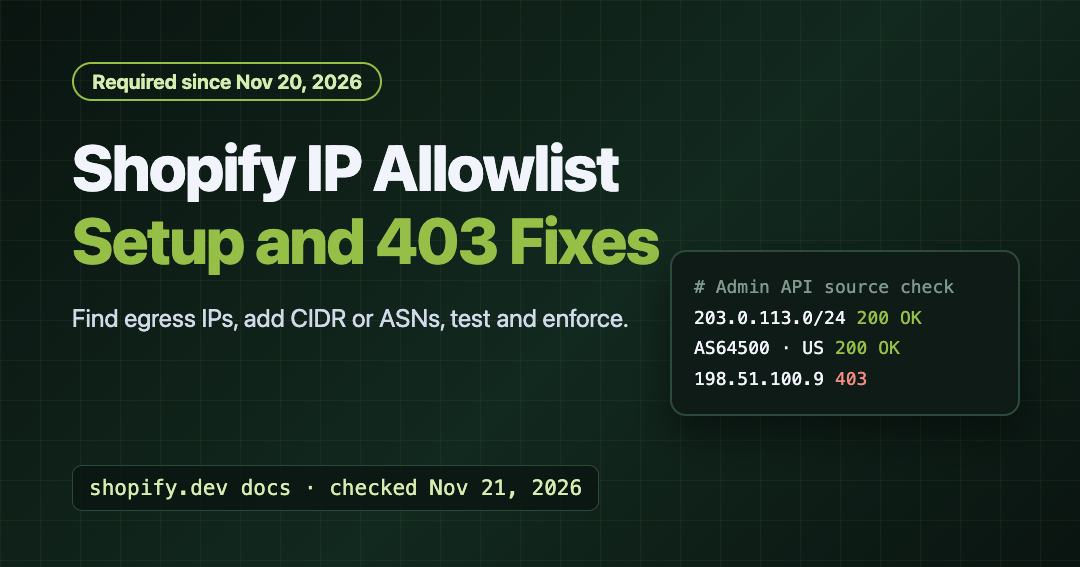
A Shopify IP allowlist is now mandatory for public apps and for custom apps installed on stores outside your organization. Since November 20, 2026 (11:59 PM ET), public apps without one are delisted and blocked from new installs. To fix it, list your server egress IPs or ASNs in the Dev Dashboard, run the traffic test, then turn on enforcement. This guide shows how to find the right addresses, set the allowlist, confirm the 403 behavior, and fix the requests that break.
Written on November 21, 2026. All facts below come from the shopify.dev changelog and the "Restrict API access with an IP allowlist" docs, checked on November 21, 2026. I have not run these steps against a live Shopify app, so test them on a development store first.
What changed on November 20
Shopify now checks the source address of every GraphQL Admin API and REST Admin API request made with an app's access tokens. If the request comes from outside the allowlist, or Shopify can't confirm where it came from, the API returns 403.
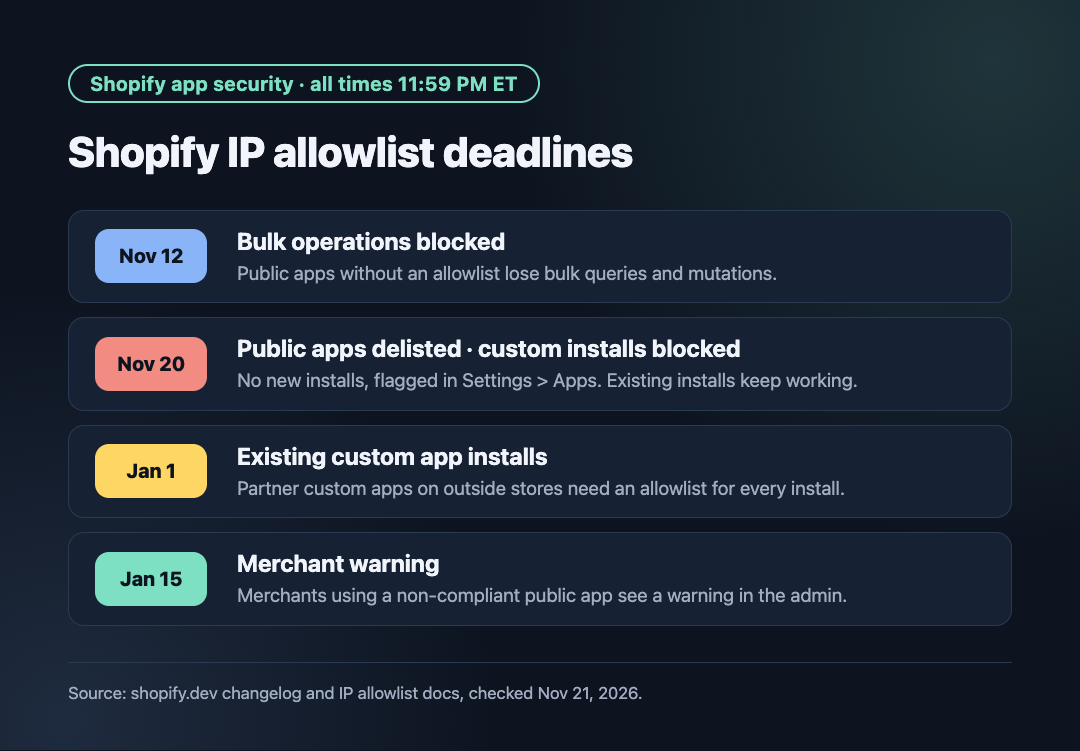
The rollout has several dates:
| Date (11:59 PM ET) | Public apps | Custom apps outside your org |
|---|---|---|
| Nov 12, 2026 | Bulk queries and mutations blocked without an allowlist | — |
| Nov 20, 2026 | Delisted, no new installs, flagged in Settings > Apps | Allowlist required for new installs |
| Jan 1, 2027 | — | Allowlist required for existing installs too |
| Jan 15, 2027 | Merchants see a warning in the Shopify admin | — |
Existing installs of a delisted public app keep working. Once you add an allowlist, the listing comes back on its own.
Is your app affected?
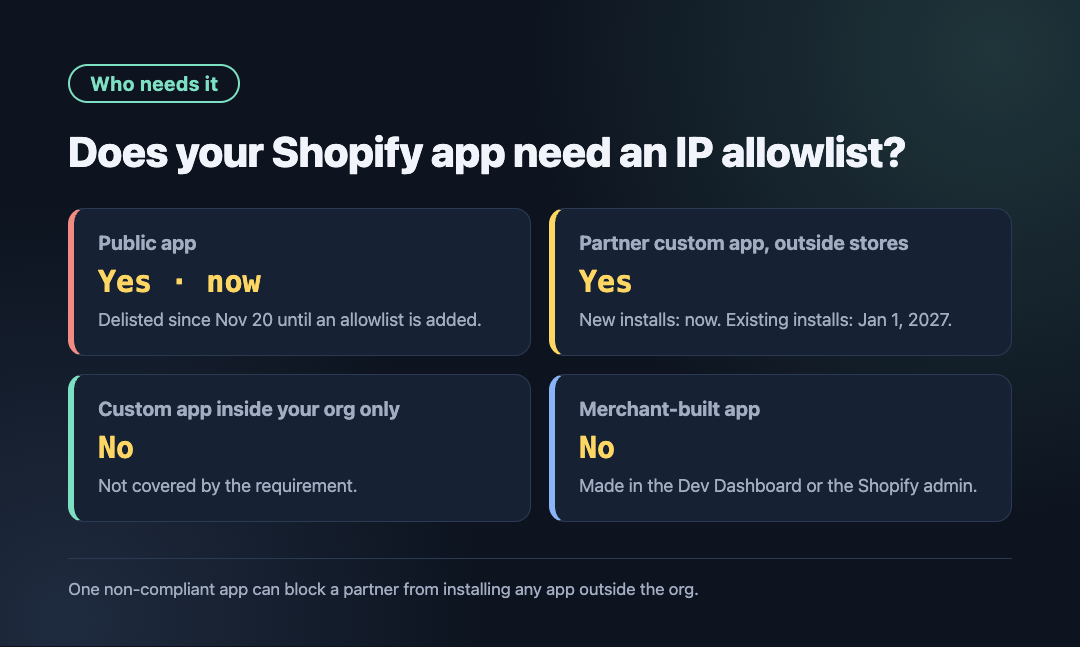
Start with your app type. The rule depends on who installs the app, not on how big it is.
| App type | Needs an allowlist? | Deadline |
|---|---|---|
| Public app (App Store) | Yes | Nov 20, 2026 (passed) |
| Custom app, partner-built, stores outside your org | Yes | New installs Nov 20, existing Jan 1, 2027 |
| Custom app installed only inside your org | No | — |
| Merchant-built app (Dev Dashboard or admin) | No | — |
One trap for agencies: if a partner owns several custom apps and one of them has no allowlist, Shopify limits that partner's ability to install any app outside the organization. Fix every app, not just the busy one.
Find the IPs your app actually calls from
The allowlist has to match the address Shopify sees, which is your public egress IP, not the private address of the server. Check from the same host or container that calls the Admin API.
The first command prints your public IPv4 address, the second your public IPv6 address (if any), and the third does the IPv4 check over DNS for hosts with restricted outbound HTTP.
curl -4 -s https://api.ipify.org; echo
curl -6 -s https://api64.ipify.org; echo
dig +short myip.opendns.com @resolver1.opendns.com
If the IPv6 command returns an address, add it as well. A server that reaches Shopify over IPv6 but only has its IPv4 address on the list will get 403.
Next, look at real traffic. Open your app in the Dev Dashboard, go to Logs, and note the client IPs of recent Admin API requests. Compare them with the output above. Different addresses usually mean a NAT gateway, a proxy, or a serverless platform with rotating egress.
Turn single IPs into valid CIDR ranges
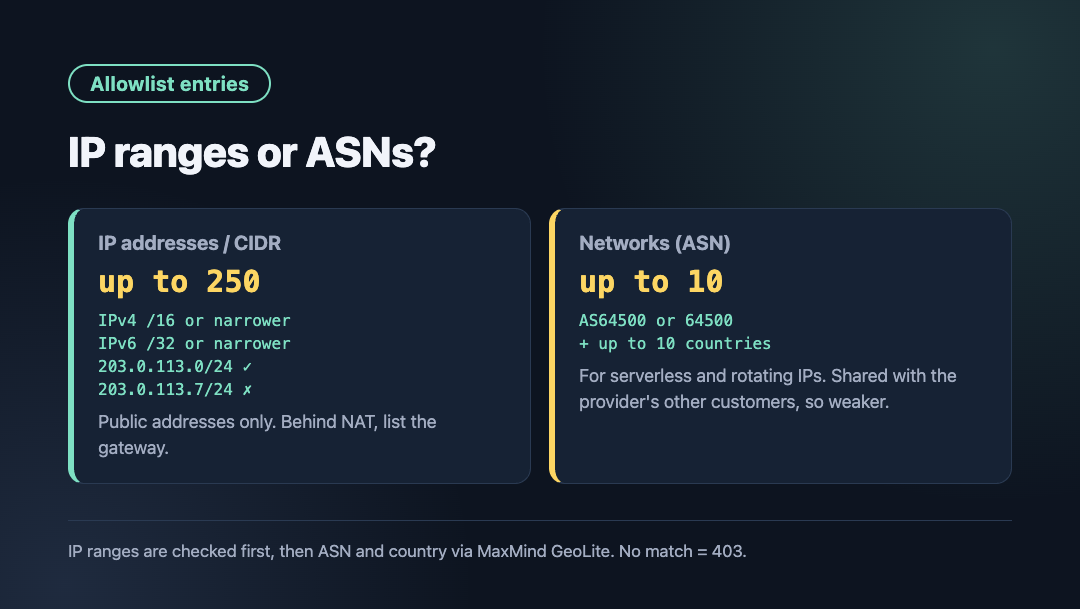
Shopify accepts up to 250 entries in CIDR format, one per line. IPv4 ranges must be /16 or narrower, IPv6 /32 or narrower, and every range has to start at its network address. 203.0.113.0/24 is valid; 203.0.113.7/24 is not.
This short Python snippet normalizes a list for you:
import ipaddress

raw = ["203.0.113.7/24", "198.51.100.25", "2001:db8:abcd:12::5/64"]

for item in raw:
    net = ipaddress.ip_network(item, strict=False)  # snaps to the network address
    limit = 16 if net.version == 4 else 32
    if net.prefixlen < limit:
        print(f"TOO WIDE for Shopify: {net}")
    elif not net.is_global:
        print(f"NOT PUBLIC, use your gateway IP: {net}")
    else:
        print(net)
A single IP with no prefix becomes /32 (IPv4) or /128 (IPv6), which Shopify accepts.
When to use ASNs instead
Serverless functions and some PaaS hosts don't have fixed egress IPs. For them, Shopify lets you add up to 10 ASNs (with or without the AS prefix) and optionally narrow them to up to 10 countries. Look up the ASN of an address you saw in the logs:
whois -h whois.cymru.com " -v 203.0.113.10"The first column of the result is the AS number. Shopify checks IP ranges first, then looks up the ASN and country in MaxMind GeoLite data. If it can't find an ASN, or a country when you have listed countries, it rejects the request.
The docs warn about the trade-off: an ASN covers every customer of that cloud provider, so a stolen token used from the same provider would still work. Prefer a static egress IP (for example a NAT gateway with a fixed address) when your host offers one, and add countries if you use ASNs.
Shopify IP allowlist setup in the Dev Dashboard
Once you have the list, the setup itself takes a few minutes.
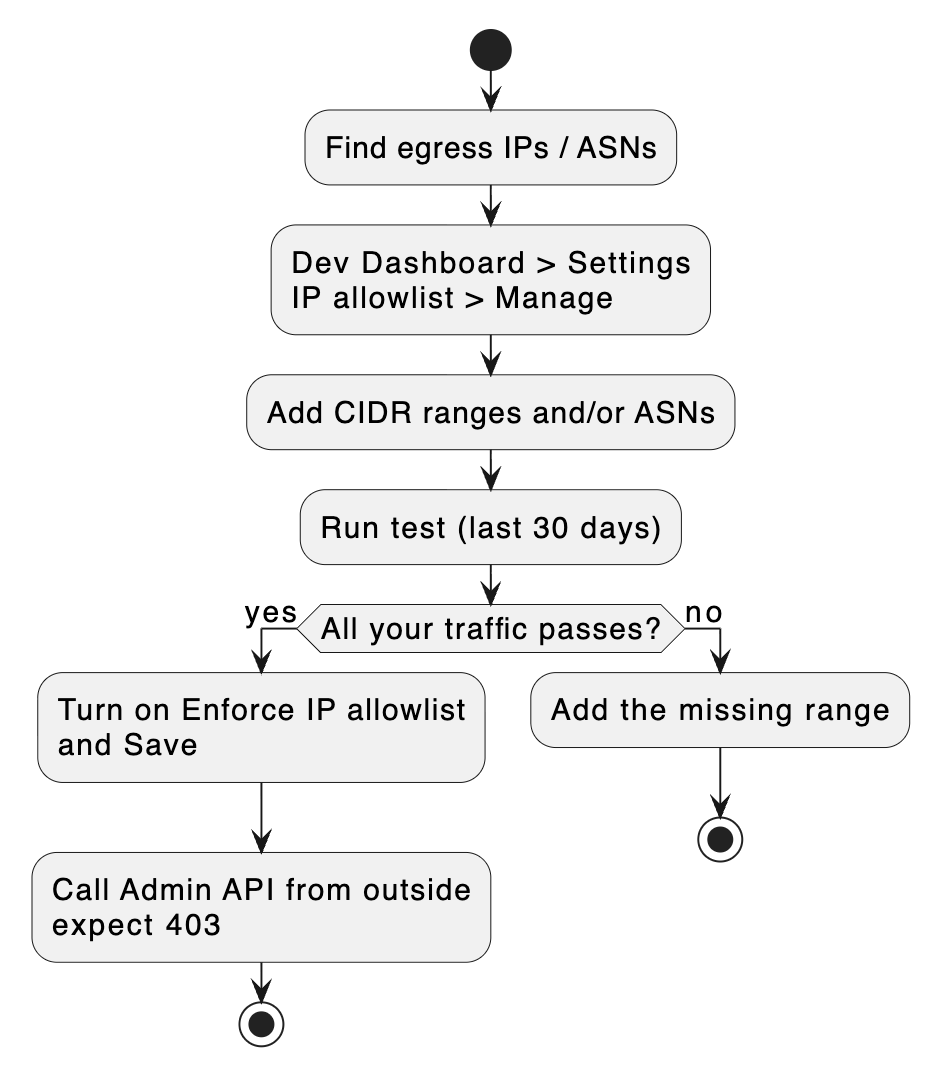
View PlantUML source
@startuml
skinparam shadowing false
skinparam defaultFontSize 15
start
:Find egress IPs / ASNs;
:Dev Dashboard > Settings\nIP allowlist > Manage;
:Add CIDR ranges and/or ASNs;
:Run test (last 30 days);
if (All your traffic passes?) then (yes)
  :Turn on Enforce IP allowlist\nand Save;
  :Call Admin API from outside\nexpect 403;
  stop
else (no)
  :Add the missing range;
  stop
endif
@enduml- Open the app in the Dev Dashboard and go to Settings.
- Next to IP allowlist, click Manage.
- Fill in IP addresses or CIDR ranges, Networks (ASN), or both. Add Limit ASNs to countries if you used ASNs.
- Under Test against recent traffic, click Run test. It checks your addresses from the last 30 days. New results can take a few minutes to show up.
- When every real source passes, turn on Enforce IP allowlist and click Save.
Confirm enforcement with one request
Send a simple Admin API query from your server, then the same query from a machine that is not on the list, such as your laptop on a home connection:
curl -s -o /dev/null -w "%{http_code}\n" \
  -X POST "https://<YOUR_SHOP>.myshopify.com/admin/api/2026-10/graphql.json" \
  -H "X-Shopify-Access-Token: <YOUR_TOKEN>" \
  -H "Content-Type: application/json" \
  -d '{"query":"{ shop { name } }"}'
Expected results:
| Where you run it | Expected code | Meaning |
|---|---|---|
| Your app server | 200 | Allowlist matches your egress |
| A machine not on the list | 403 | Enforcement is on |
Your app server, but 403 | 403 | Egress IP or IPv6 is missing from the list |
Use a test token on a development store for this. Don't paste a production token into a laptop shell history.
Apps that never call the Admin API
Some apps only ship theme or checkout extensions and never use their tokens from a server. For those, pick the access policy that blocks every Admin API request. Shopify counts it as meeting the requirement for public and custom apps. A blocked call then returns 403 with this message:
[API] This app blocks all Admin API requests made with its access tokens.Requests that Shopify never rejects under an allowlist: dev preview requests on development stores, and Direct API access from embedded app pages, admin UI extensions and POS UI extensions.
If you can't add an allowlist yet
Shopify does not offer a switch to skip the rule. The official options are limited:
- Existing installs keep working for public apps after the delisting. You lose new installs, not current merchants.
- Ask for an extension if your app calls the Admin API from infrastructure the merchant runs. The public-apps changelog links a request form for that case.
- Use ASNs as a stopgap while you move to a static egress IP. It is weaker, but it meets the requirement.
- Custom apps still have until January 1, 2027 for existing installs outside your org. New installs need the allowlist now.
There is no other documented workaround. Turning enforcement off later puts a public app back in the non-compliant group.
If you are already tightening network access, it is a good moment to review how you rotate tokens. The steps in our Trigger.dev breach guide on rotating API keys in a safe order apply to Shopify tokens as well.
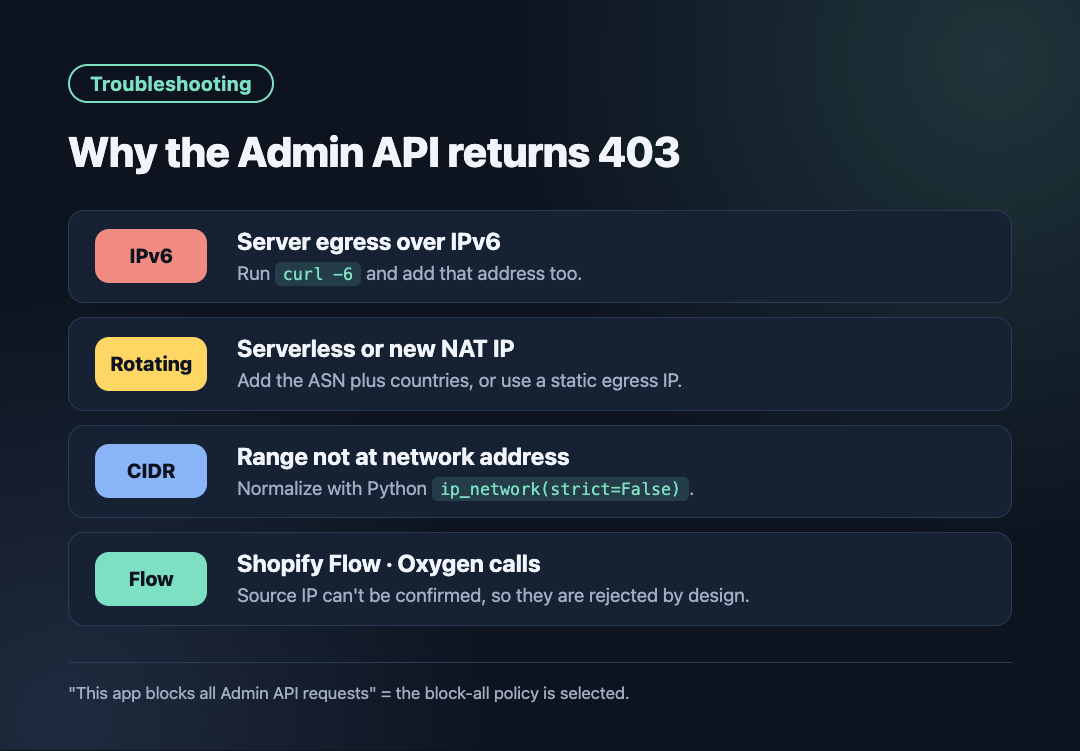
Fix 403 errors after enforcing the allowlist
Most 403 errors after go-live come from one of a few causes.
| Symptom | Likely cause | Fix |
|---|---|---|
| Server calls fail, test passed earlier | Host now uses IPv6 or a new NAT IP | Run curl -6 and curl -4 again, add the address |
| Range not accepted | Range does not start at network address, or wider than /16 (IPv4) or /32 (IPv6) | Normalize with the Python snippet above |
| Serverless calls fail randomly | Egress IP rotates | Add the provider's ASN plus countries, or route through a static NAT |
| Shopify Flow Send HTTP request fails | Shopify can't confirm the source IP | Expected; move that call to your own server |
| Oxygen storefront Admin API calls fail | Same reason as Flow | Call the Admin API from a backend you control |
| Every call fails with the "blocks all" message | Block-all policy selected | Switch to an allowlist if the app needs the Admin API |
Roll back safely
If production breaks after you save, add the missing range first. That fix keeps you compliant. Turning off Enforce IP allowlist restores traffic right away, but for a public app it means you no longer meet the requirement, so treat it as a minutes-long emergency step, not a fix.
This looks a lot like keeping GitHub webhook IP ranges in sync on your firewall, but the direction is reversed. Here Shopify filters your outbound calls, so the list must follow your own infrastructure.
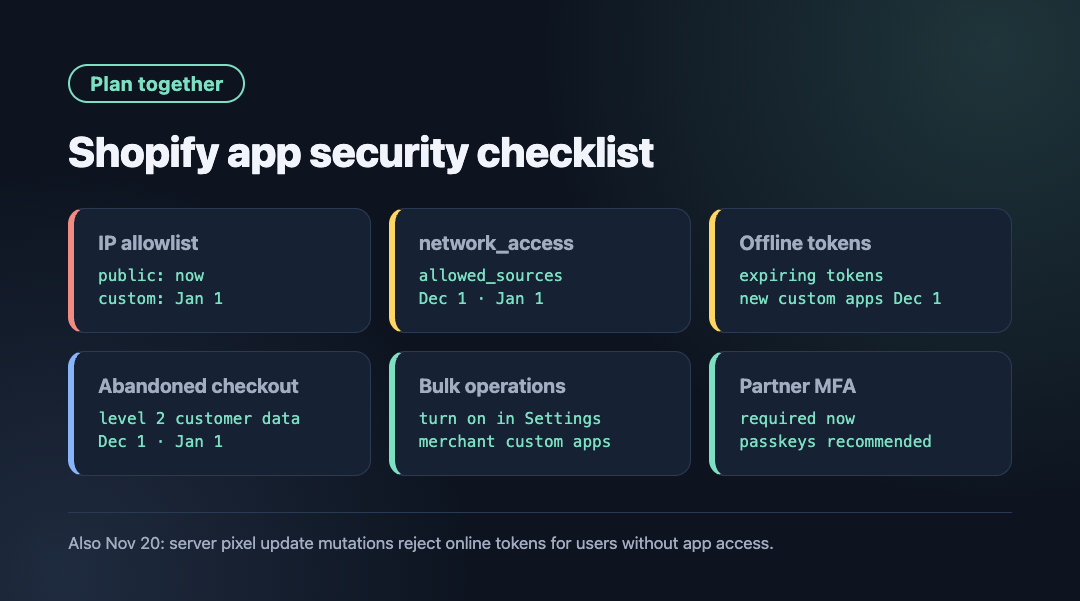
Other Shopify app security deadlines in the same notice
The November 19 changelog post groups several other required changes. Plan them together:
| Requirement | Applies to | Due |
|---|---|---|
allowed_sources under network_access in shopify.app.toml | Apps running code on the online store | Dec 1, 2026, then Jan 1, 2027 |
| Expiring offline access tokens | Custom apps created on or after Dec 1 | Dec 1, 2026 |
| Level 2 protected customer data for abandoned checkout URLs | Public apps / partner custom apps | Dec 1, 2026 / Jan 1, 2027 |
| Bulk operations turned on in Settings | Merchant custom apps | Now |
| MFA on every partner account | All partners | Now |
A separate breaking change landed on November 20 as well. The eventBridgeServerPixelUpdate and pubSubServerPixelUpdate mutations now reject online access tokens for staff users who don't have access to the app, on every API version. The error looks like a missing-scope error. Call them with an offline token from a background job, or make sure the staff user has app access.
Decision table: what to do now
| Your situation | Action | When |
|---|---|---|
| Public app with no allowlist | Add ranges, test, enforce | Today (already delisted) |
| Partner custom app, new installs on outside stores planned | Add allowlist before installing | Today |
| Partner custom app, only existing outside installs | Add allowlist | This week, before Jan 1, 2027 |
| Extension-only app, no Admin API calls | Select the block-all policy | Today |
| Merchant-built or in-org app only | No allowlist needed | Not affected |
FAQ
Does the Shopify IP allowlist affect Storefront API calls? The docs describe checks on GraphQL Admin API and REST Admin API requests made with the app's tokens. They don't list the Storefront API, so check the docs for your exact case.
Will my current merchants lose the app after delisting? No. Shopify says existing installs keep working. The app is hidden from new installs and flagged in Settings > Apps until you add an allowlist.
Can I use my office IP for local development? Yes, if it is public and you add it as a range. Dev preview requests on development stores are not rejected, so you may not need it for that workflow.
How do I know the allowlist is saved correctly? Run the built-in test against the last 30 days of traffic, then send one request from outside the list and confirm a 403.
Is an ASN as safe as a fixed IP? No. The docs note that an ASN is shared with the provider's other customers. Use it with country limits, and move to a static egress IP when you can.
If your app also runs automation code on other platforms, the HubSpot custom code Node.js 24 upgrade guide covers another platform deadline from this month. Next, read Shopify's access token docs to prepare for expiring offline tokens on December 1.
References
- Shopify Dev Docs: Restrict API access with an IP allowlist (checked Nov 21, 2026)
- Shopify changelog: App security updates, IP allowlist due tomorrow (Nov 19, 2026, checked Nov 21, 2026)
- Shopify changelog: IP allowlists are now required for public apps (checked Nov 21, 2026)
- Shopify changelog: IP allowlists required for custom apps installed outside your organization (checked Nov 21, 2026)
- Shopify changelog: eventBridgeServerPixelUpdate and pubSubServerPixelUpdate now require user access (Nov 20, 2026, checked Nov 21, 2026)
- Shopify Dev Docs: Upcoming security deadlines (checked Nov 21, 2026)
- Shopify Dev Docs: Access tokens (checked Nov 21, 2026)
- Team Cymru IP to ASN lookup (checked Nov 21, 2026)